Rooftop Blue Hour Lock Screen
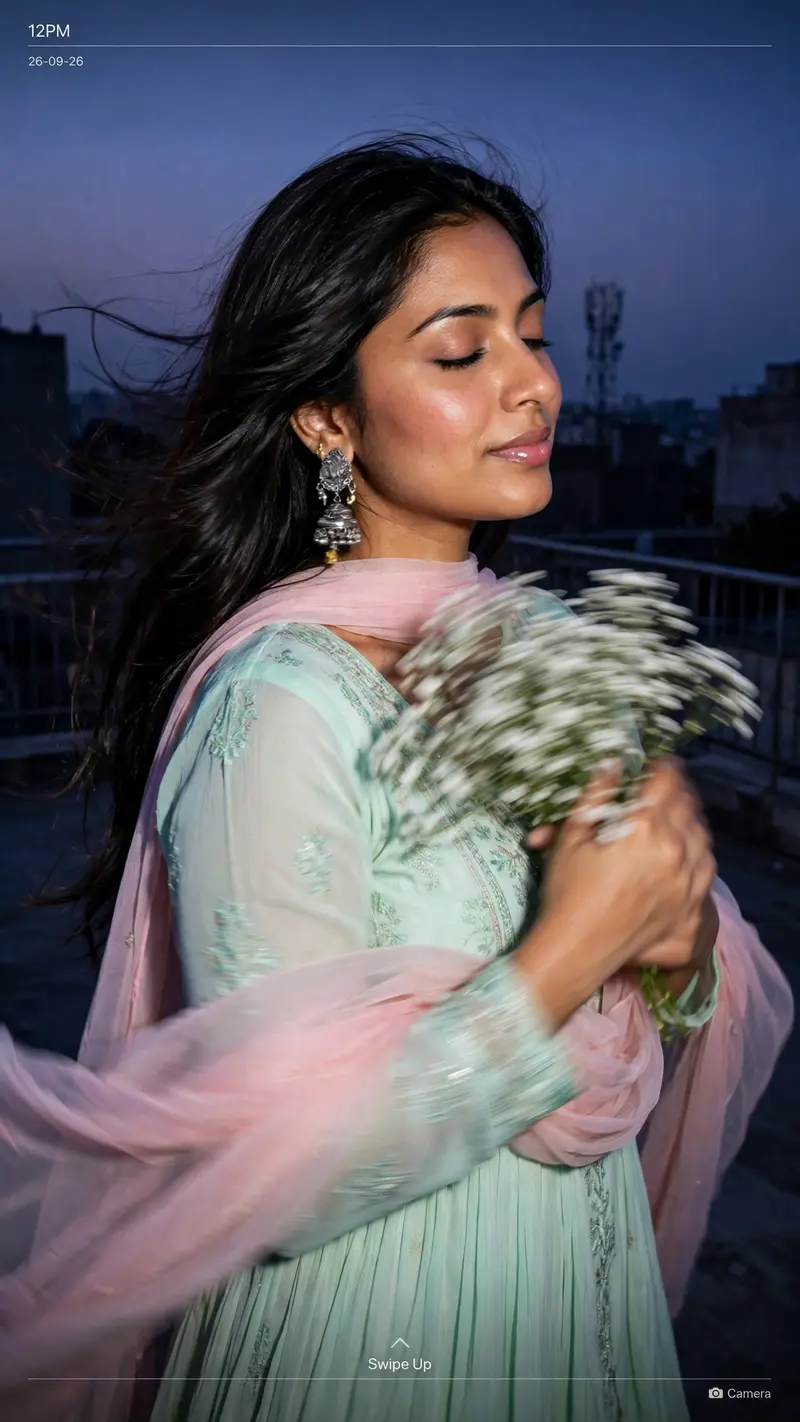
Best Rooftop Blue Hour Lock Screen AI Prompt
Copy the ready-made prompt below and paste it into ChatGPT, Gemini, or your favorite AI image generator to create a stunning phone wallpapers style image in seconds. No sign-up needed — just copy, paste, and generate.
✦ AI PROMPT
Create an ultra-realistic candid rooftop closeup portrait of the woman in the reference image as a lockscreen wallpaper, at blue hour, with a dusky lavender-purple sky. She stands on a rooftop, body slightly turned away, eyes softly closed, both arms holding a bouquet of small white flowers, with heavy motion blur on hands and flowers. She wears a pastel mint-green traditional Anarkali, subtle flowing details, sheer baby-pink dupatta draped loosely around her shoulders and arms, statement earrings, long hair flowing. Preserve her exact facial features, skin texture, warm blush and glossy lips. Background: urban rooftop, buildings, railings and mobile tower silhouette. Direct flash brightly lights her while the background stays dark. Add early-2000s digital-camera aesthetics, soft focus, flash glow, mild grain and candid look. Add lockscreen text: “12PM”, “26-09-26”, “Swipe Up”, “Camera”.
How to Use This Prompt with ChatGPT & Gemini
Click the Copy button above, then open ChatGPT (with image generation) or Gemini. Paste the prompt, hit generate, and wait a few seconds. You can tweak any detail — colors, lighting, mood — to make it your own.
How to Keep Your Face Unchanged
Want your own face in this style? First generate the base image with the prompt above, then use a face-swap tool like InsightFace or the Remini app to place your face onto the result.