HP Petrol Pump Background Photo Prompt
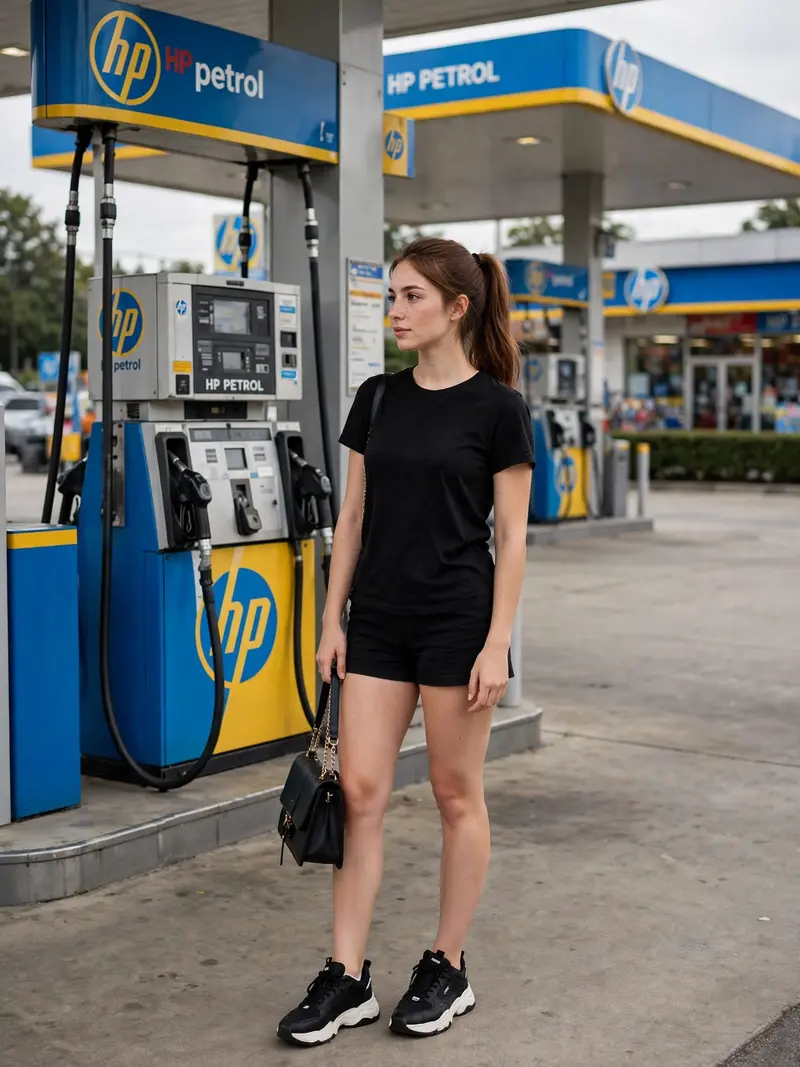
Best HP Petrol Pump Background Photo Prompt AI Prompt
Copy the ready-made prompt below and paste it into ChatGPT, Gemini, or your favorite AI image generator to create a stunning photoreal portraits style image in seconds. No sign-up needed — just copy, paste, and generate.
⋈ AI PROMPT
Use the first image as the exact reference for the person and the second image as the exact HP petrol pump background. Place the person naturally into the HP petrol pump scene without changing anything about her original appearance. Strictly preserve her exact face, facial features, skin texture, hairstyle, hair color, body shape, clothes, shoes, handbag, pose, proportions, and identity exactly as in the original photo—no beautification, no face alteration, no outfit changes, and no AI-looking details. Only composite the person realistically into the petrol pump background with natural perspective, accurate scale, matching lighting, shadows, reflections, and realistic color grading so she looks genuinely photographed at the location. Keep the HP petrol pump background authentic and unchanged, and make the final image a 3:4 portrait aspect ratio in high quality and photorealistic detail.
How to Use This Prompt with ChatGPT & Gemini
Click the Copy button above, then open ChatGPT (with image generation) or Gemini. Paste the prompt, hit generate, and wait a few seconds. You can tweak any detail — colors, lighting, mood — to make it your own.
How to Keep Your Face Unchanged
Want your own face in this style? First generate the base image with the prompt above, then use a face-swap tool like InsightFace or the Remini app to place your face onto the result.
Start from our prompt seen photo picks if you want the best ones first.