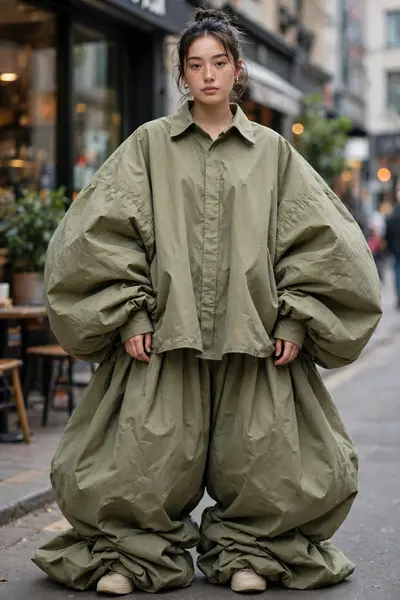
Extreme Loose Outfit
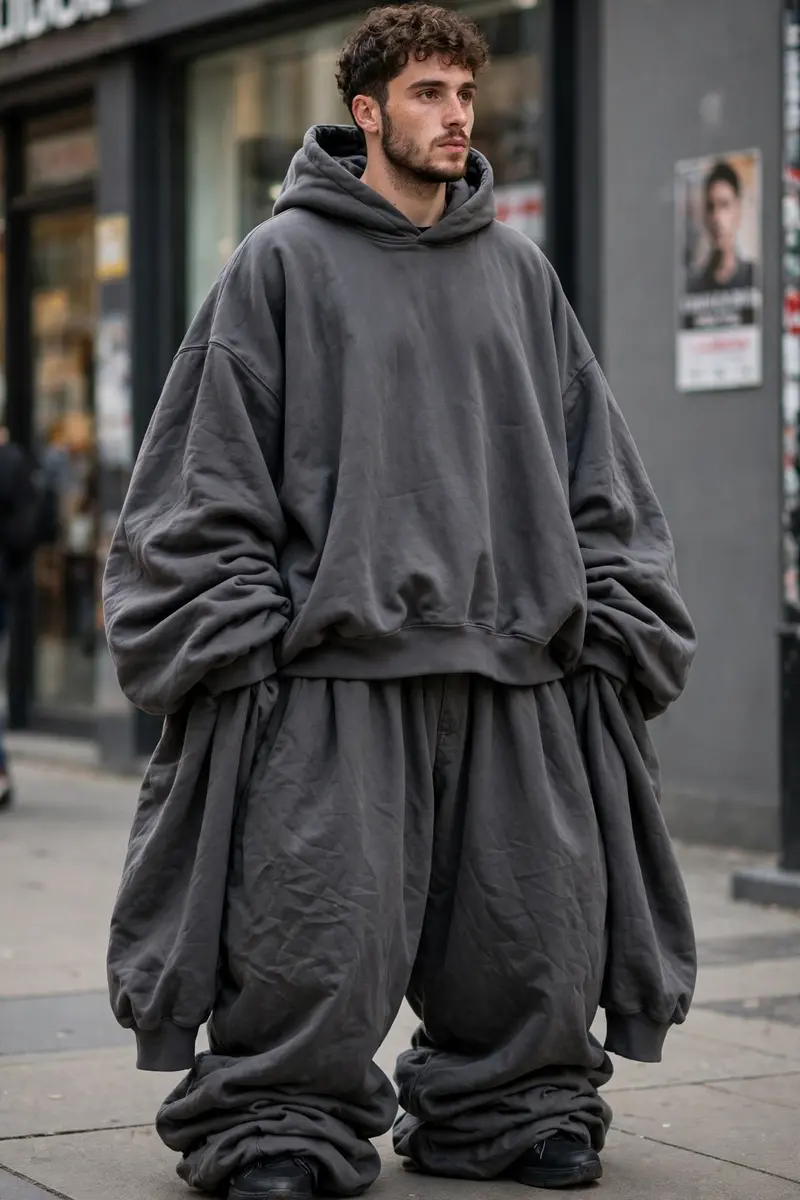
Best Extreme Loose Outfit AI Prompt
Copy the ready-made prompt below and paste it into ChatGPT, Gemini, or your favorite AI image generator to create a stunning streetwear fashion style image in seconds. No sign-up needed — just copy, paste, and generate.
⋈ AI PROMPT
Transform the clothing worn by the person in the uploaded image into an extremely oversized, ultra-baggy “jhula dhala” streetwear outfit while keeping the entire scene realistic and natural. Do not use any external reference image — only modify the existing clothes visible on the subject. Outfit Transformation Details: • Shirt / Hoodie / Top: Increase the size of the upper clothing to look 4x–6x larger than the body. Make the sleeves extra long, super loose, and hanging far below the hands with dramatic puffiness and heavy fabric folds. • Pants / Bottom Wear: Convert the pants into ultra-wide balloon-fit trousers with excessive fabric volume. Add stacked folds near the shoes and create a droopy oversized silhouette with natural cloth bunching. • Fabric & Style: Make the outfit look extremely chunky, loose, flowy, and exaggerated while still maintaining realistic fabric physics. Add deep wrinkles, layered folds, and cinematic oversized fashion styling. • Preserve Original Identity: Strictly keep the person’s real face, hairstyle, skin tone, pose, body proportions, camera angle, lighting, and background unchanged. Maintain the same clothing colors, textures, and fashion style from the original image while only increasing the size and looseness dramatically. The final result should look like a realistic high-fashion oversized streetwear photoshoot with naturally draped giant clothing.
How to Use This Prompt with ChatGPT & Gemini
Click the Copy button above, then open ChatGPT (with image generation) or Gemini. Paste the prompt, hit generate, and wait a few seconds. You can tweak any detail — colors, lighting, mood — to make it your own.
How to Keep Your Face Unchanged
Want your own face in this style? First generate the base image with the prompt above, then use a face-swap tool like InsightFace or the Remini app to place your face onto the result.