
Extreme Macro Close-Up Portrait Prompt
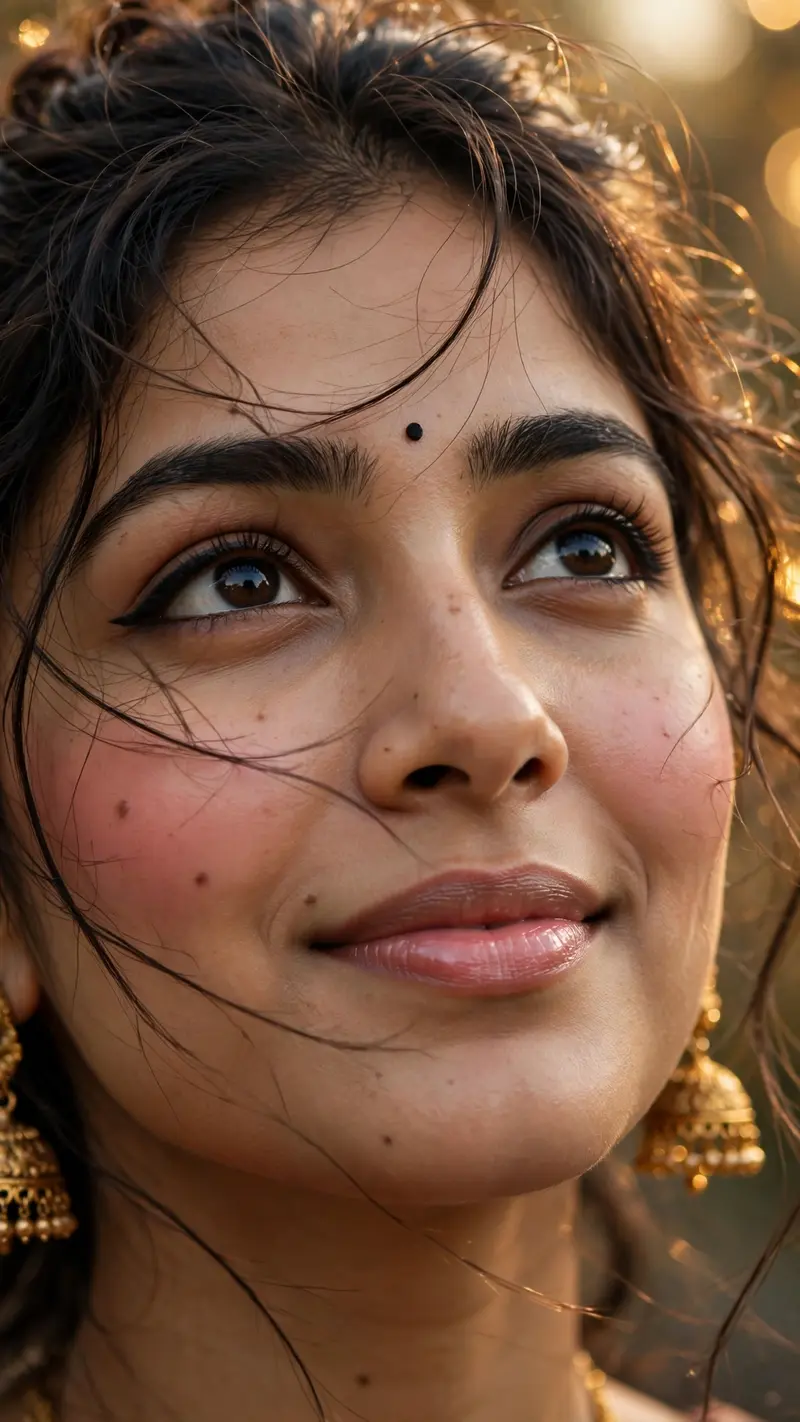
Best Extreme Macro Close-Up Portrait Prompt AI Prompt
Copy the ready-made prompt below and paste it into ChatGPT, Gemini, or your favorite AI image generator to create a stunning photoreal portraits style image in seconds. No sign-up needed — just copy, paste, and generate.
⋈ AI PROMPT
Create an extreme macro close-up portrait of the same woman from the uploaded image. Preserve her exact original face, facial features, skin tone, eyes, nose, lips, face shape, hairstyle, and identity with strict identity preservation. She has a gentle, soft smile and is looking slightly upward. Add soft natural blush on her cheeks, glossy pink lips, subtle eyeliner, and a small black bindi on her forehead. Keep her hair slightly messy with a few natural loose strands. She is wearing elegant gold jhumka earrings. Use warm aesthetic cinematic lighting with soft golden highlights, shallow depth of field, subtle motion blur in the loose hair strands, realistic skin texture, fine filmy grain, soft bokeh, professional DSLR photography, highly detailed, ultra-realistic, photorealistic, natural beauty, no face distortion, no facial changes. Vertical 9:16 composition.
How to Use This Prompt with ChatGPT & Gemini
Click the Copy button above, then open ChatGPT (with image generation) or Gemini. Paste the prompt, hit generate, and wait a few seconds. You can tweak any detail — colors, lighting, mood — to make it your own.
How to Keep Your Face Unchanged
Want your own face in this style? First generate the base image with the prompt above, then use a face-swap tool like InsightFace or the Remini app to place your face onto the result.



