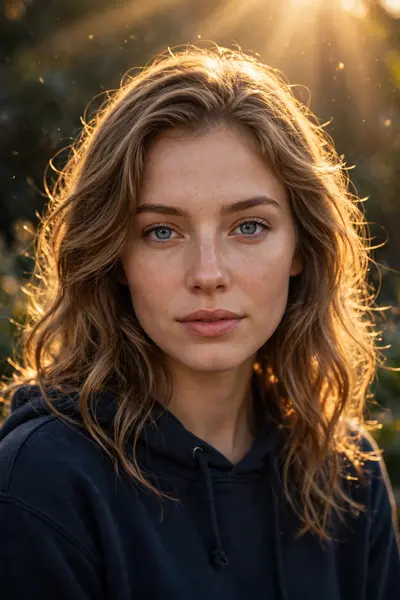
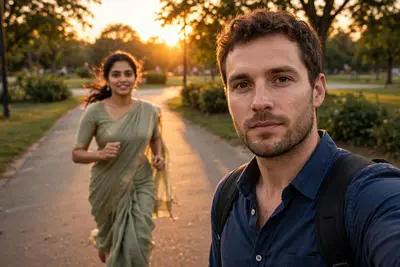
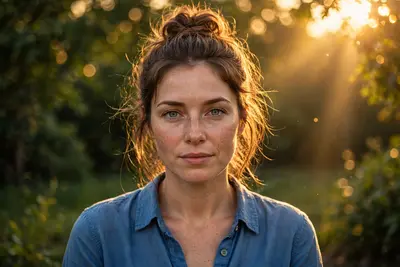
Enhance the Image to True Photorealistic Realism
Best Enhance the Image to True Photorealistic Realism AI Prompt
Copy the ready-made prompt below and paste it into ChatGPT, Gemini, or your favorite AI image generator to create a stunning photoreal portraits style image in seconds. No sign-up needed — just copy, paste, and generate.
⋈ AI PROMPT
Enhance the image to true photorealistic realism while fully preserving composition, proportions, identity, and emotion. No beautification, stylization, or facial changes. Add natural imperfections: subtle asymmetry, uneven eyes/ brows/lips, realistic skin texture with pores, fine lines, tiny blemishes, mild discoloration, uneven tones, and natural micro-shadows. No smooth or plastic skin. Improve clarity and depth without over-sharpening. Enhance micro-details: hair strands, fabric fibers, wrinkles, dust, wear, fingerprints, reflections. Use natural real-world lighting with imperfect shadows and soft highlights. Ultra-high-resolution, clean upscale, authentic photographic look.
How to Use This Prompt with ChatGPT & Gemini
Click the Copy button above, then open ChatGPT (with image generation) or Gemini. Paste the prompt, hit generate, and wait a few seconds. You can tweak any detail — colors, lighting, mood — to make it your own.
How to Keep Your Face Unchanged
Want your own face in this style? First generate the base image with the prompt above, then use a face-swap tool like InsightFace or the Remini app to place your face onto the result.