
Winter Fog Riverside Portrait Prompt
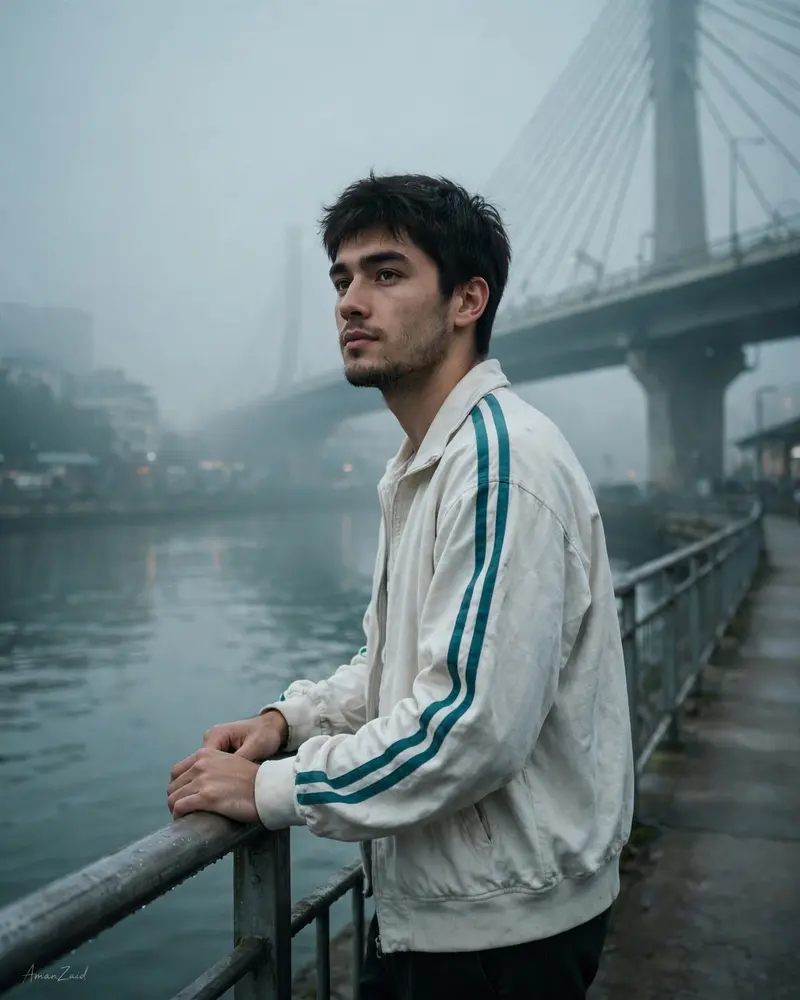
Best Winter Fog Riverside Portrait Prompt AI Prompt
Copy the ready-made prompt below and paste it into ChatGPT, Gemini, or your favorite AI image generator to create a stunning photoreal portraits style image in seconds. No sign-up needed — just copy, paste, and generate.
⋈ AI PROMPT
Ultra-realistic cinematic portrait, 8K quality, moody cool-tone color grading with teal and gray shades. A young man standing near a riverside walkway, leaning slightly against a metal railing. Both hands resting on the railing, relaxed posture. He is wearing a loose white vintage track jacket with teal stripes on the sleeves, dark pants. Clean look, no cigarette, no smoke. POSE & EXPRESSION: Standing pose, shoulders relaxed. Head slightly turned to the left, chin raised subtly. Eyes looking toward the horizon, calm and confident expression. Natural candid body language, cinematic presence. BACKGROUND & LOCATION: Foggy urban riverfront in early morning light. Large cable-stayed bridge positioned diagonally in the background, partially hidden in fog. River flowing beneath with soft reflections. Concrete walkway, metal railing lines leading toward the subject. Muted city structures fading into mist. CAMERA & LIGHTING: Shot on full-frame DSLR, 85mm lens, f/1.8. Soft diffused natural light through fog. Cinematic shadows, film still aesthetics. Shallow depth of field, subject sharp, background softly blurred. FACE INSTRUCTIONS (CRITICAL): Keep the face EXACTLY the same as the uploaded reference photo. No change to facial features, beard, hairstyle, skin tone, or identity. No face smoothing, no beautification, no AI alteration. Perfect photorealistic likeness preservation. TEXT: Add stylish small signature text “AmanZaid” at the bottom-left corner. Minimal handwritten signature style. White or light gray color, subtle opacity. IMAGE SETTINGS: Resolution: 1664 x 2080 pixels (portrait). Ultra-detailed textures, realistic fog, cinematic realism. Professional photography look. NEGATIVE PROMPT: cigarette, smoking, smoke, vape, cartoon, anime, illustration, CGI, painting, face swap, plastic skin, blur, noise, watermark, logo, extra text
How to Use This Prompt with ChatGPT & Gemini
Click the Copy button above, then open ChatGPT (with image generation) or Gemini. Paste the prompt, hit generate, and wait a few seconds. You can tweak any detail — colors, lighting, mood — to make it your own.
How to Keep Your Face Unchanged
Want your own face in this style? First generate the base image with the prompt above, then use a face-swap tool like InsightFace or the Remini app to place your face onto the result.



