Vrindavan Travel Poster
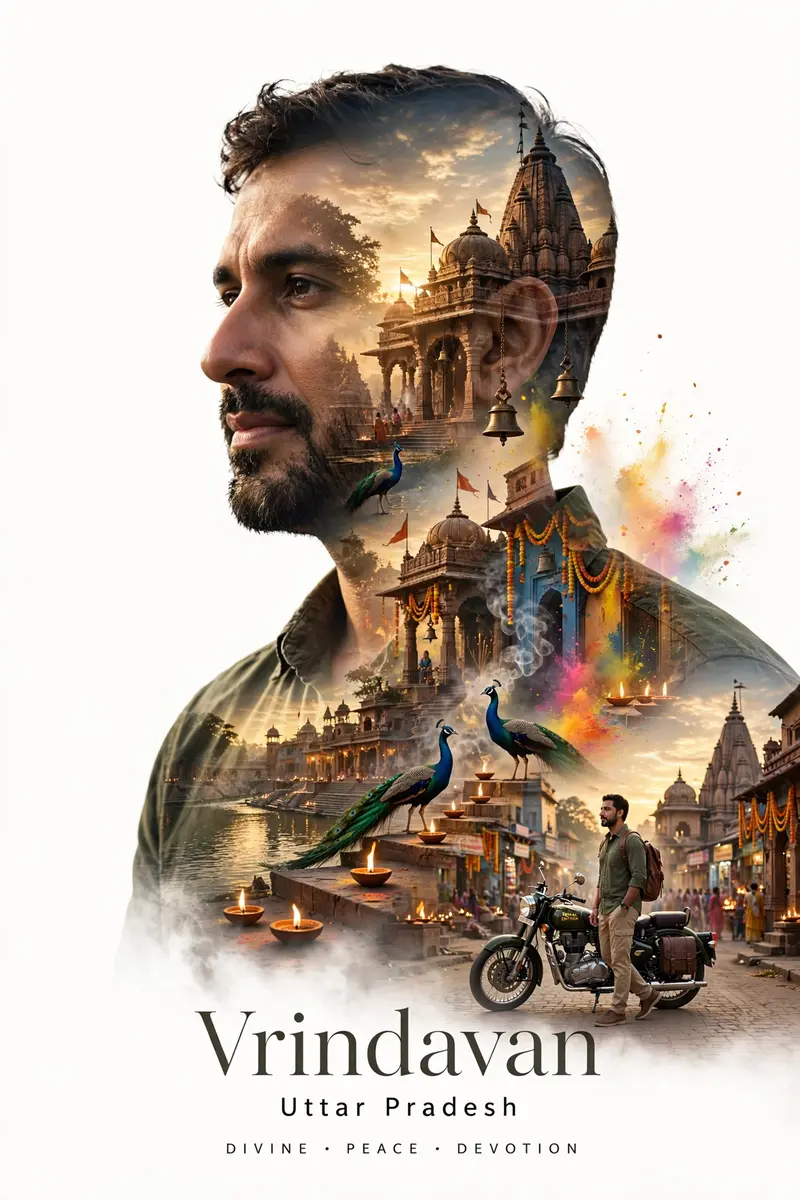
Best Vrindavan Travel Poster AI Prompt
Copy the ready-made prompt below and paste it into ChatGPT, Gemini, or your favorite AI image generator to create a stunning photoreal portraits style image in seconds. No sign-up needed — just copy, paste, and generate.
⋈ AI PROMPT
Create a cinematic double-exposure travel poster for “Vrindavan, Uttar Pradesh” using my uploaded photo. IMPORTANT: Keep the exact same face, hairstyle, expression, pose, outfit, skin tone, beard, and natural facial features unchanged. Do not modify or beautify the face. Maintain 100% face match and identity preservation. Inside the portrait silhouette, blend the spiritual and cultural beauty of Vrindavan — ancient temple architecture, Krishna temples, ghats, narrow devotional streets, glowing diyas, peacocks, Yamuna river, floral decorations, soft incense smoke, sacred bells, evening aarti atmosphere, colorful Holi powder, and dreamy golden sunset skies. Add a small realistic full-body version of the person standing near a Royal Enfield bike on a peaceful Vrindavan street beside a temple. Style: luxury spiritual tourism campaign, ultra-realistic editorial aesthetic, cinematic lighting, dreamy matte tones, soft golden glow, atmospheric depth, realistic double-exposure blending, divine and peaceful mood, premium travel advertisement look, minimal clean composition, white background. Typography: “Vrindavan” “Uttar Pradesh” “DIVINE • PEACE • DEVOTION” Use elegant modern typography with clean spacing. High detail, realistic shadows, natural textures, premium poster design, 4K quality, cinematic composition.
How to Use This Prompt with ChatGPT & Gemini
Click the Copy button above, then open ChatGPT (with image generation) or Gemini. Paste the prompt, hit generate, and wait a few seconds. You can tweak any detail — colors, lighting, mood — to make it your own.
How to Keep Your Face Unchanged
Want your own face in this style? First generate the base image with the prompt above, then use a face-swap tool like InsightFace or the Remini app to place your face onto the result.