Vampire Portrait
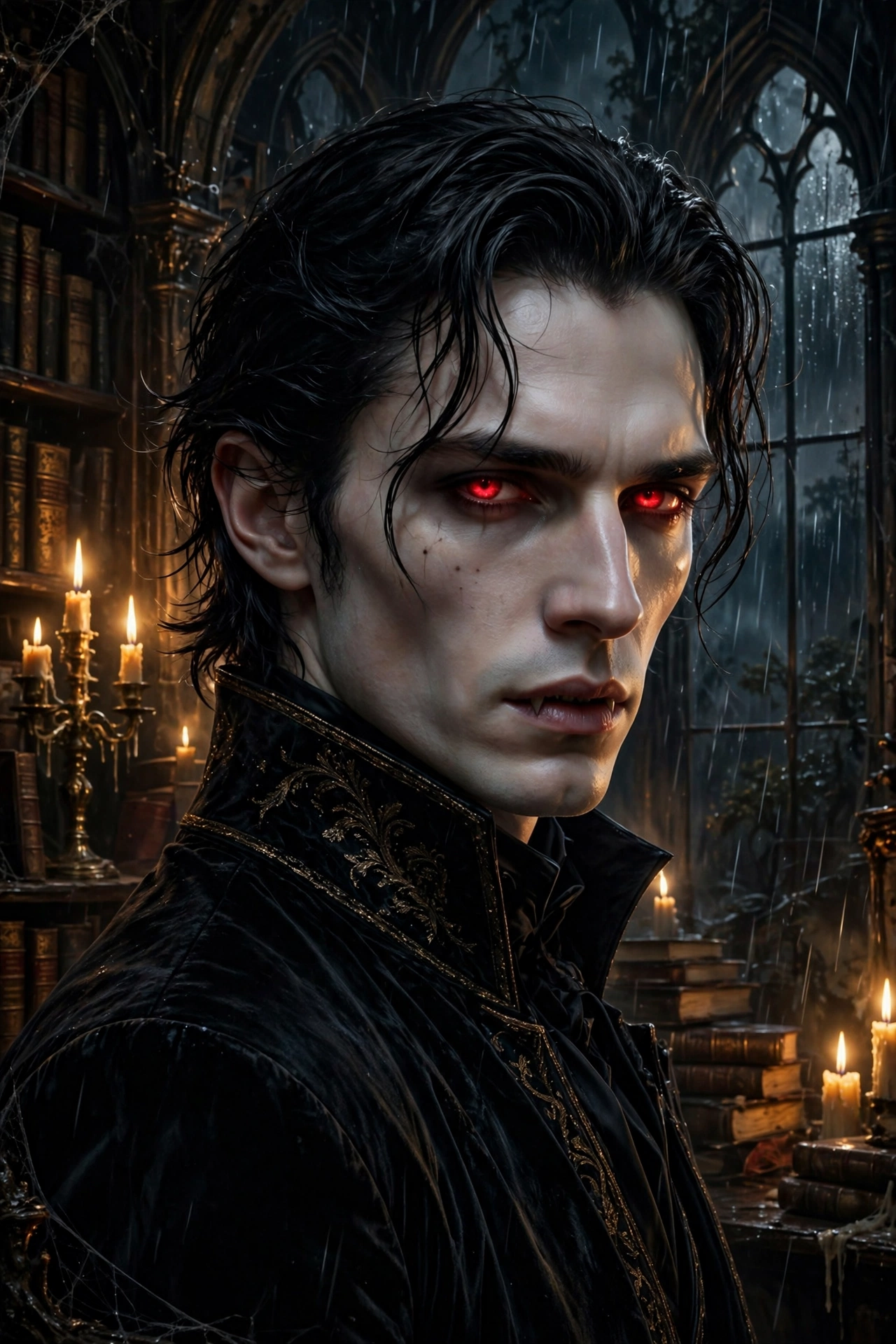
Best Vampire Portrait AI Prompt
Copy the ready-made prompt below and paste it into ChatGPT, Gemini, or your favorite AI image generator to create a stunning image in seconds. No sign-up needed — just copy, paste, and generate.
✦ AI PROMPT
Create an ultra-realistic elegant vampire portrait. Subject: a person as an aristocratic vampire — pale flawless skin, sharp cheekbones emphasized, deep red eyes with a subtle glow, dark slicked-back hair, a single drop of blood at the corner of the lips. Wearing a high-collared black velvet coat with silver clasps over a dark red waistcoat. Setting: grand gothic library with tall bookshelves, a candelabra, rain streaking down tall arched windows, lightning flash illuminating the scene. Pose: three-quarter turn, looking over the shoulder directly at viewer with a confident predatory gaze. Lighting: dramatic Rembrandt lighting, candlelight warmth against cold blue window light. Style: gothic romance novel cover, 85mm lens, oil-painting richness meets photography. 100% face match.
How to Use This Prompt with ChatGPT & Gemini
Click the Copy button above, then open ChatGPT (with image generation) or Gemini. Paste the prompt, hit generate, and wait a few seconds. You can tweak any detail — colors, lighting, mood — to make it your own.
How to Keep Your Face Unchanged
Want your own face in this style? First generate the base image with the prompt above, then use a face-swap tool like InsightFace or the Remini app to place your face onto the result.