Valentine’s Day
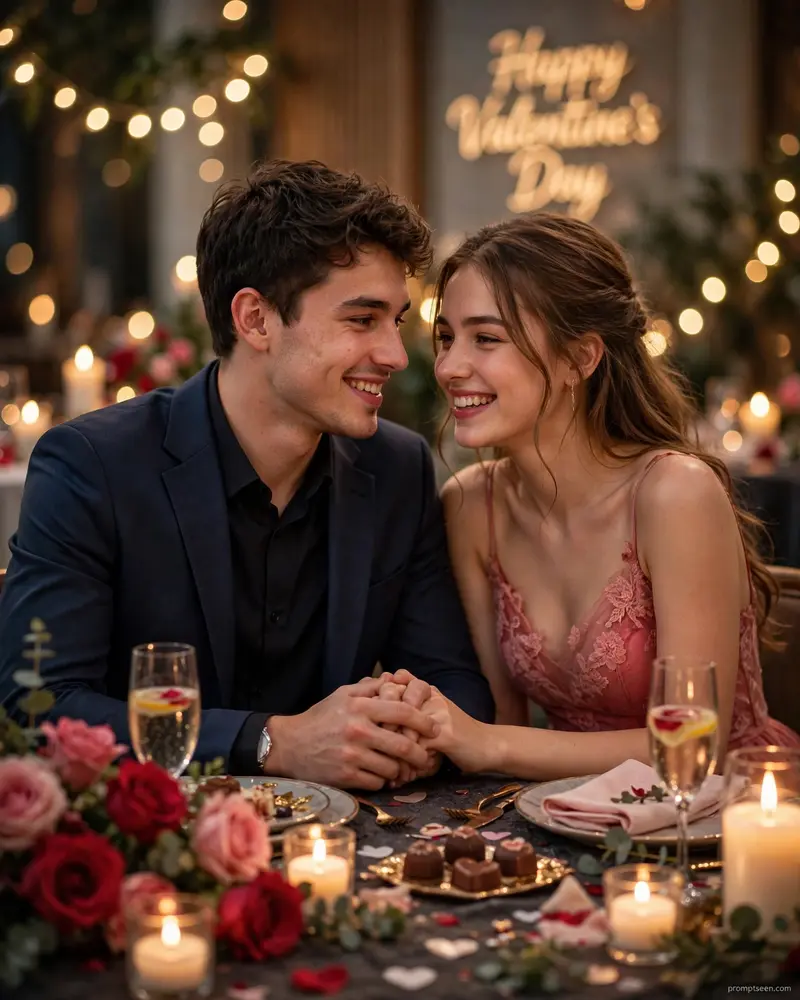
Best Valentine’s Day AI Prompt
Copy the ready-made prompt below and paste it into ChatGPT, Gemini, or your favorite AI image generator to create a stunning photoreal portraits style image in seconds. No sign-up needed — just copy, paste, and generate.
⋈ AI PROMPT
Ultra-realistic Valentine's Day romantic couple portrait, dreamy candlelight dinner celebration setting, elegant indoor romantic décor with roses, heart accents, fairy lights and soft glowing candles, warm cinematic golden lighting creating intimate love-filled atmosphere. Photorealistic natural lighting, authentic candid photography feel (not Al-generated look). Vertical composition 4:5 ratio. Young couple sitting close together at decorated romantic table, gentle affectionate pose - holding hands or leaning toward each other naturally. Same faces preserved exactly, same facial features, same full natural smiles, no face change, genuine happy romantic expressions. Boy wearing classy semi-formal outfit, girl wearing elegant romantic dress (red/soft pastel tone), natural Valentine celebration vibe. Table decorated with roses, chocolates, candles, elegant dinner setup, subtle romantic details. Background softly blurred with optional aesthetic signage "Happy Valentine's Day" tastefully placed. Natural skin tones, realistic facial textures, DSLR 85mm portrait photography style, f/1.8 aperture, sharp focus on faces and hands, creamy depth-of-field blur, realistic shadows, cinematic warm red-toned color grading, ultra-detailed textures, 8K clarity, professional Instagram aesthetic, authentic Valentine celebration photography, deeply romantic mood, photorealistic composition with true-to-life lighting and expressions. In corner of image promptseen.com is written in very small letters with 80% opacity.
How to Use This Prompt with ChatGPT & Gemini
Click the Copy button above, then open ChatGPT (with image generation) or Gemini. Paste the prompt, hit generate, and wait a few seconds. You can tweak any detail — colors, lighting, mood — to make it your own.
How to Keep Your Face Unchanged
Want your own face in this style? First generate the base image with the prompt above, then use a face-swap tool like InsightFace or the Remini app to place your face onto the result.
For more looks like this, head over to our prompt seen girl page.