
Stranger Things Eleven Style Portrait
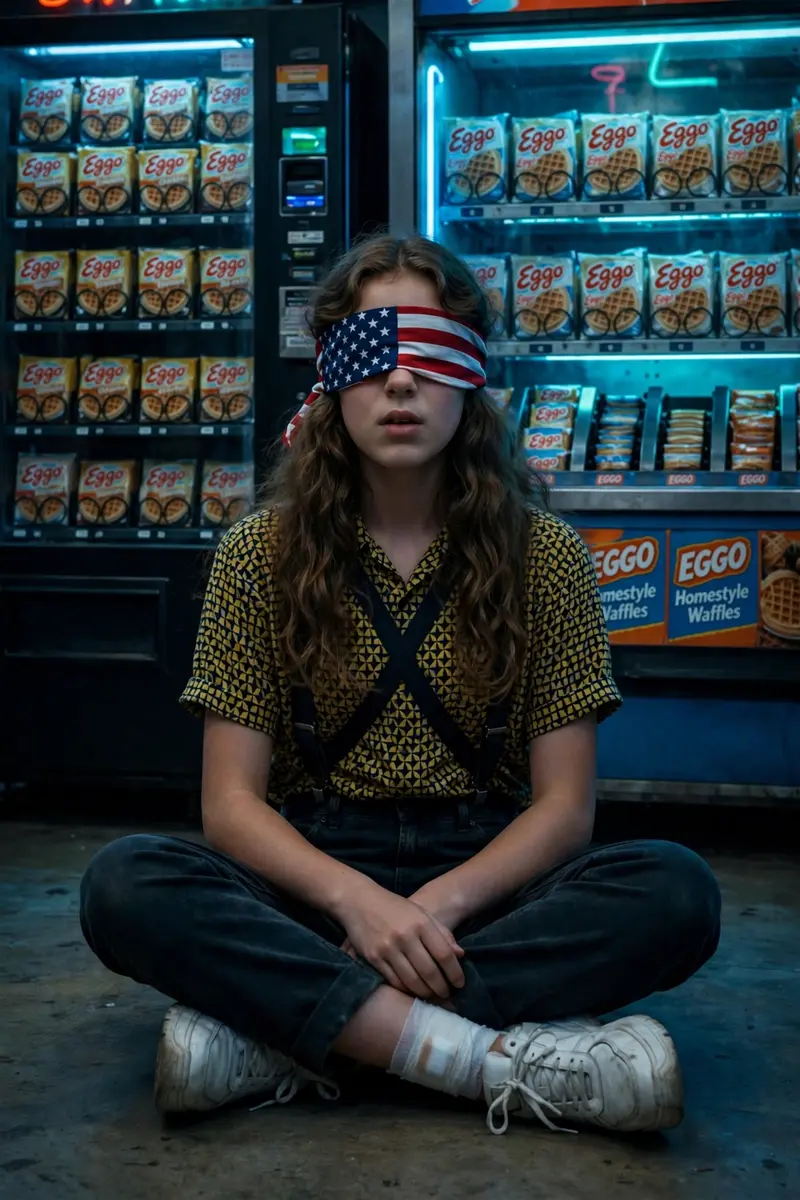
Best Stranger Things Eleven Style Portrait AI Prompt
Copy the ready-made prompt below and paste it into ChatGPT, Gemini, or your favorite AI image generator to create a stunning photoreal portraits style image in seconds. No sign-up needed — just copy, paste, and generate.
✦ AI PROMPT
Create a high-quality realistic photo using the face from the reference without any changes.• Character: a young, slender girl with long wavy hair, styled as Eleven from Stranger Things.• Blindfold: a USA-flag blindfold covering her eyes.Clothing: a short-sleeved collared shirt with a dense yellow-and-black geometric pattern, tucked into dark pants or jeans with crossedsuspenders; anay be visible.Footwear: light, chunky sneakers; a white bandage on her ankle.• Pose: sitting on the floor with her legs crossed or tucked under her, looking straight ahead with her mouth slightly open.Background: a vending machine or counter behind her with neat rows of waffle packages resembling Eggo.• Atmosphere: dark, cold, cinematic, with dominant blue and turquoise tones.• Style: dramatic, hyperrealistic, film-like, with an '80s retrowave mood; backlighting or vending-machine lighting creates deep
How to Use This Prompt with ChatGPT & Gemini
Click the Copy button above, then open ChatGPT (with image generation) or Gemini. Paste the prompt, hit generate, and wait a few seconds. You can tweak any detail — colors, lighting, mood — to make it your own.
How to Keep Your Face Unchanged
Want your own face in this style? First generate the base image with the prompt above, then use a face-swap tool like InsightFace or the Remini app to place your face onto the result.



