
Shiva Mural Night Street Portrait
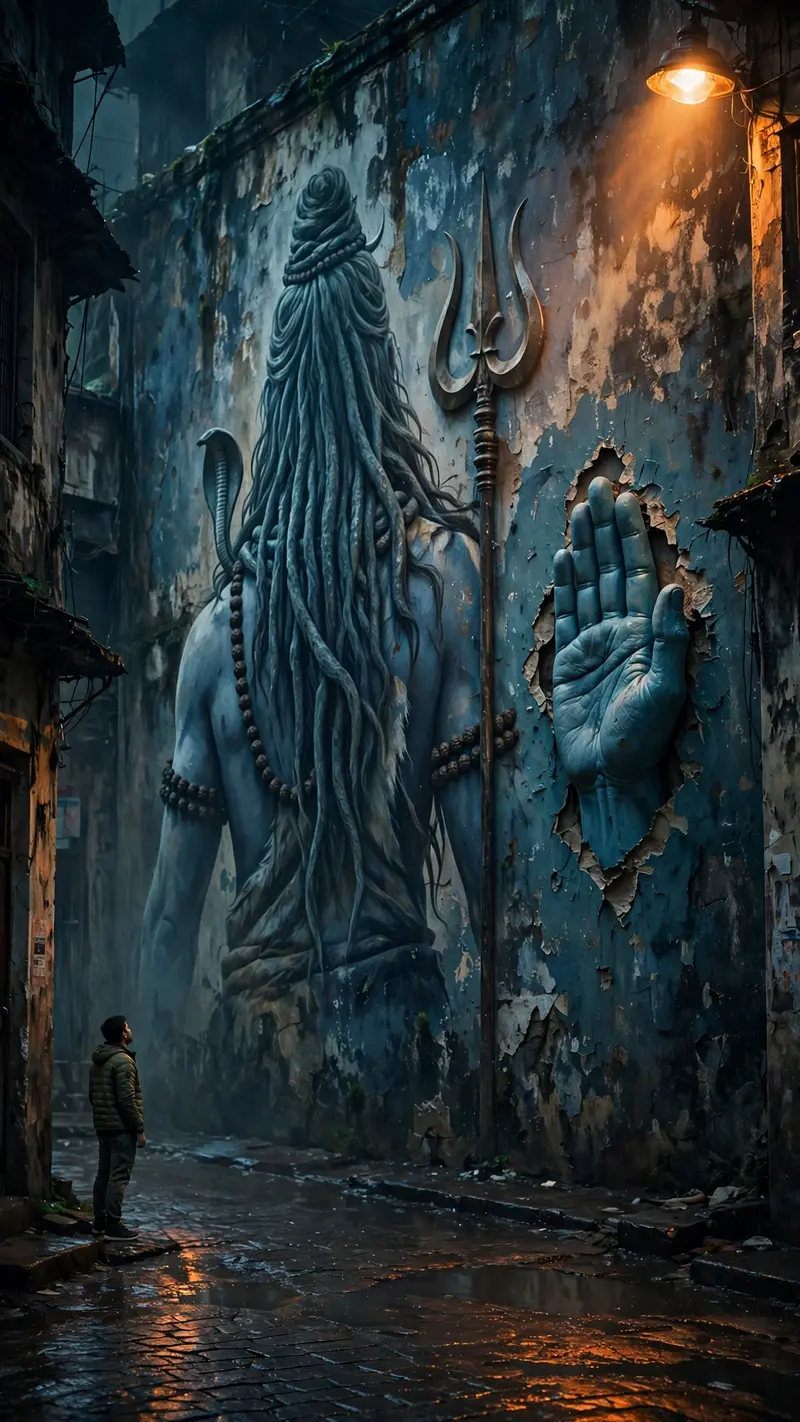
Best Shiva Mural Night Street Portrait AI Prompt
Copy the ready-made prompt below and paste it into ChatGPT, Gemini, or your favorite AI image generator to create a stunning photoreal portraits style image in seconds. No sign-up needed — just copy, paste, and generate.
✦ AI PROMPT
Use uploaded photo for exact face & outfit (no changes). Ultra-realistic DSLR night shot, vertical 9:16, full body. Subject small, bottom-left, side/back profile, camera slightly behind, looking up. Huge Lord Shiva mural on old wall (back view, long hair, trishul), painted style but realistic. COLOR & LIGHTING (MOST IMPORTANT): Warm orange sodium streetlights casting golden highlights. Deep blue & teal shadows on wall and skin. Muted cinematic tones (no bright colors). Wet ground reflecting orange light. Soft glow from streetlight (top corner). Dark moody contrast, slightly desaturated. Natural haze + low-light grain. Skin and wall catching warm highlights + cool shadows balance. 3D Shiva hand emerging from wall, same blue tone, realistic shadows. No touch, small gap between hands (spiritual feel). Old Indian alley, dark, cinematic, realistic textures. No glow effects, no fantasy, no CGI — pure real photo look. 8K, ultra-detailed, cinematic, realistic.
How to Use This Prompt with ChatGPT & Gemini
Click the Copy button above, then open ChatGPT (with image generation) or Gemini. Paste the prompt, hit generate, and wait a few seconds. You can tweak any detail — colors, lighting, mood — to make it your own.
How to Keep Your Face Unchanged
Want your own face in this style? First generate the base image with the prompt above, then use a face-swap tool like InsightFace or the Remini app to place your face onto the result.



