Royal Kurta Fashion Walk
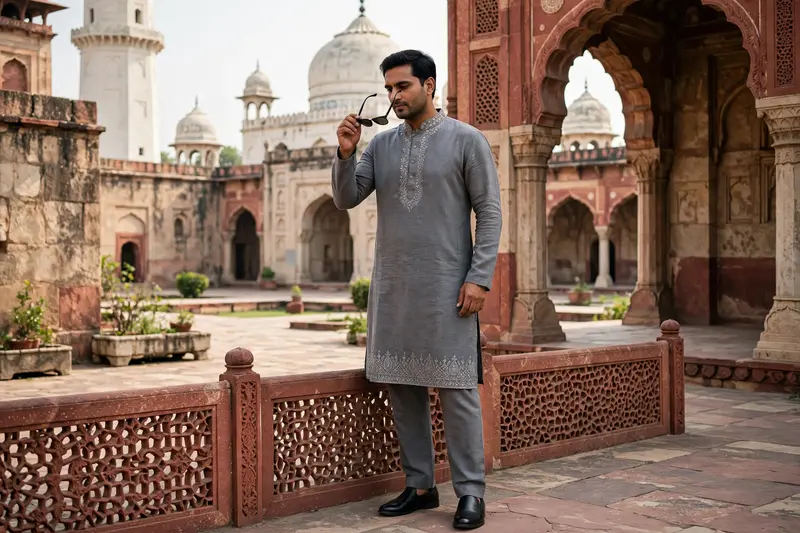
Best Royal Kurta Fashion Walk AI Prompt
Copy the ready-made prompt below and paste it into ChatGPT, Gemini, or your favorite AI image generator to create a stunning video prompts style image in seconds. No sign-up needed — just copy, paste, and generate.
✦ AI PROMPT
Use the uploaded reference photo for the man's face, hairstyle, skin tone, body build and height. Keep identity exactly same as reference photo — no alteration to face, body, or hairstyle in any scene. Keep his skin natural, clean, and clear exactly as shown in the reference photo — no added blemishes, spots, or texture flaws. Keep the person's body proportions natural and realistic, matching the exact build shown in the reference photo — do not add extra muscle, height, or bulk. This must work accurately for any person of any age or body type who uploads their own reference photo — the generated face, skin, and body must always match the uploaded photo exactly, never a generic or different look. Outfit (same throughout, do not change): a grey kurta-pajama set with a mandarin collar, delicate silver embroidery along the collar and the hem border, relaxed straight-fit pajama pants in matching grey, black formal slip-on shoes, holding a pair of sunglasses. Location (same throughout all 7 scenes, do not change): an outdoor heritage monument courtyard with tall white domed structures and ornate stone archways in the background, a red sandstone railing with carved lattice (jaali) pattern in the foreground, green trees, soft natural daylight. Color grade: rich, natural, vibrant cinematic color grading — true-to-life skin tones and fabric colors, soft daylight contrast, sharp realistic detail, not faded or desaturated, consistent across every scene. Create 7 cinematic scenes, same outfit and same monument location throughout: Scene 1: Close-up shot of the man's hands holding his sunglasses at waist level while walking, grey kurta with silver embroidered hem visible, blurred green garden path behind him. Scene 2: Medium close-up shot, walking toward the camera, sunglasses held in both hands near his chest, silver embroidered collar visible, white boundary wall and greenery blurred behind him. Scene 3: Close-up side profile shot, man putting on his sunglasses with one hand, calm composed expression, white domed monument softly blurred in the background. Scene 4: Full body front shot, man standing confidently facing the camera, sunglasses on, white domed monument and red sandstone jaali railing clearly visible behind him. Scene 5: Close-up back-angle shot, man looking over his shoulder toward the camera, sunglasses on, green trees blurred in the background. Scene 6: Full body walking shot, man walking confidently toward the camera near the red sandstone railing, white monument domes and minarets framing him in the background. Scene 7: Medium shot, man standing calm and composed, sunglasses on, soft natural daylight, monument and greenery forming a balanced cinematic backdrop behind him. Format: 9:16 vertical, 1080p resolution, smooth cinematic pacing with natural camera movement throughout, same location and color grade maintained from Scene 1 to Scene 7. Watermark: small semi-transparent text "NoorEditing07" in the bottom-right corner, visible consistently across all 7 scenes.
How to Use This Prompt with ChatGPT & Gemini
Click the Copy button above, then open ChatGPT (with image generation) or Gemini. Paste the prompt, hit generate, and wait a few seconds. You can tweak any detail — colors, lighting, mood — to make it your own.
How to Keep Your Face Unchanged
Want your own face in this style? First generate the base image with the prompt above, then use a face-swap tool like InsightFace or the Remini app to place your face onto the result.