
Raksha Bandhan Sibling Portrait
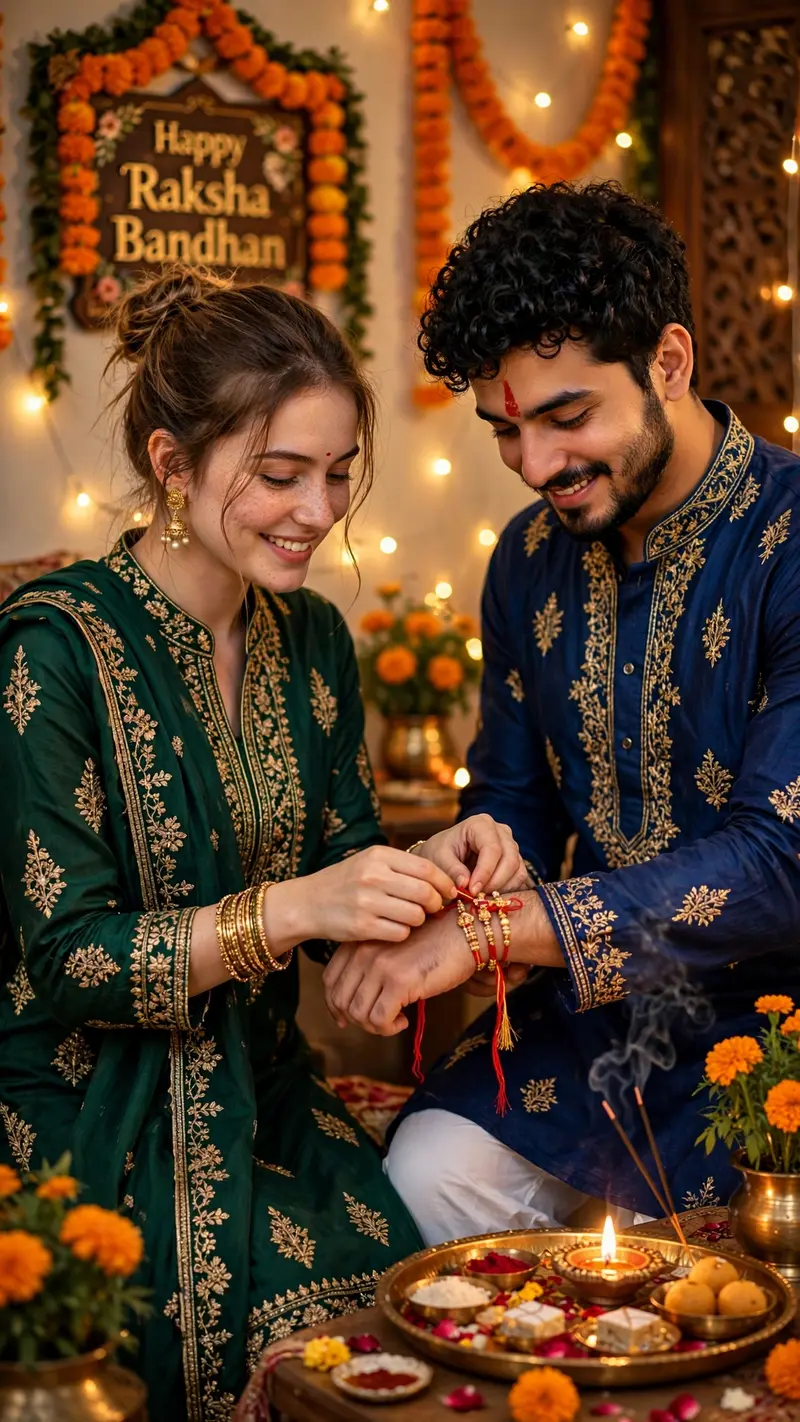
Best Raksha Bandhan Sibling Portrait AI Prompt
Copy the ready-made prompt below and paste it into ChatGPT, Gemini, or your favorite AI image generator to create a stunning photoreal portraits style image in seconds. No sign-up needed — just copy, paste, and generate.
✦ AI PROMPT
Create an ultra-realistic cinematic vertical 9:16 Raksha Bandhan photo using the two uploaded references. First image = sister, second image = brother. Strict identity lock: preserve both faces, facial features, skin tone, hair, age, and natural appearance exactly; change only pose, clothing, and environment. Show them standing together at home, with the sister tying a red-and-gold Rakhi on her brother’s wrist as both look down with warm smiles. Brother: deep royal blue embroidered kurta, white pajama, curly black hair, groomed beard, red tilak. Sister: deep emerald green salwar suit with golden embroidery, matching dupatta, jhumkas, bangles, red bindi. Add a festive puja thali with sweets, diya, and flowers, marigold garlands, fairy lights, and a wall decoration reading “Happy Raksha Bandhan.” Warm golden lighting, cinematic bokeh, realistic hands, natural expressions, DSLR 85mm, f/1.8, HDR, photorealistic, ultra-detailed, 8K, full-body/three-quarter composition.
How to Use This Prompt with ChatGPT & Gemini
Click the Copy button above, then open ChatGPT (with image generation) or Gemini. Paste the prompt, hit generate, and wait a few seconds. You can tweak any detail — colors, lighting, mood — to make it your own.
How to Keep Your Face Unchanged
Want your own face in this style? First generate the base image with the prompt above, then use a face-swap tool like InsightFace or the Remini app to place your face onto the result.



