Raksha Bandhan Cinematic Family Photo Prompt
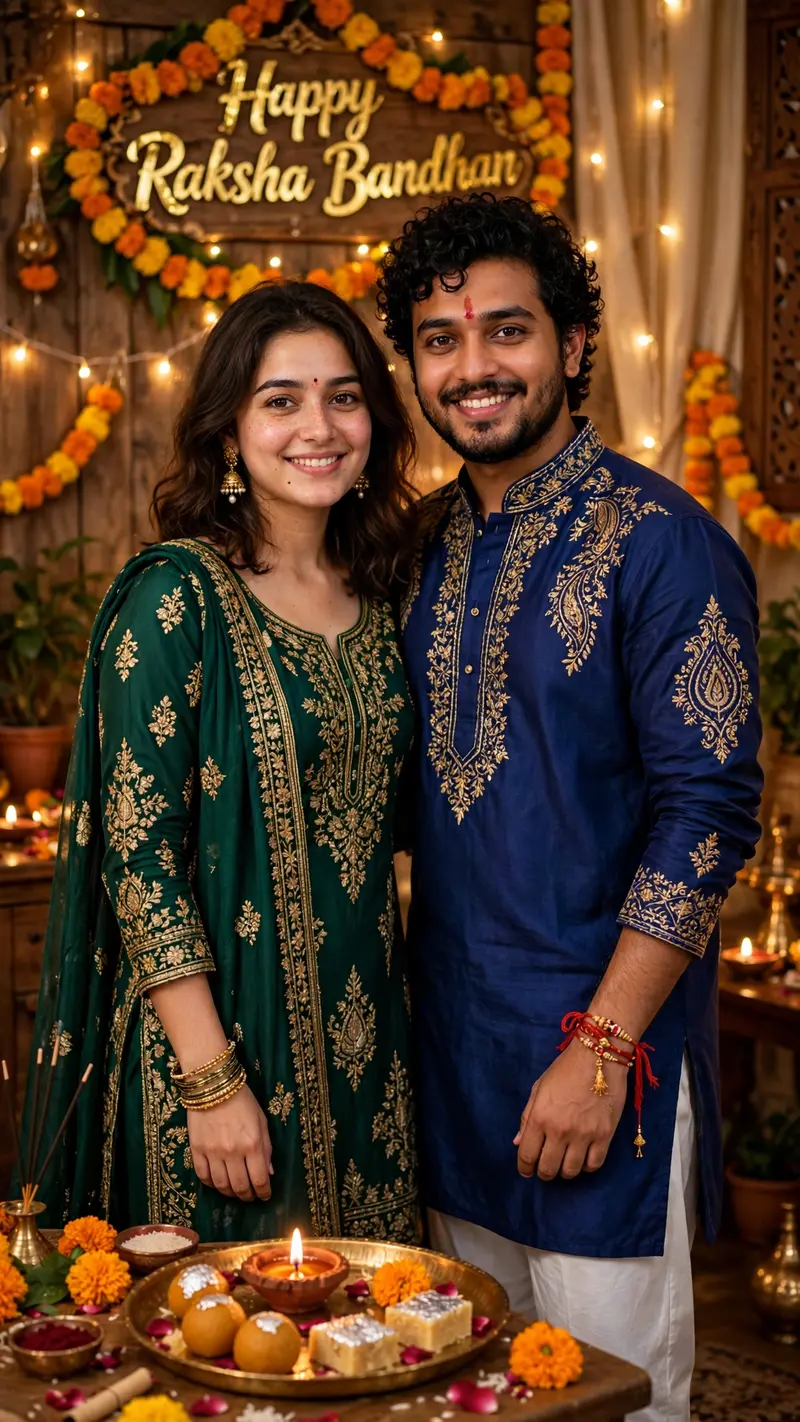
Best Raksha Bandhan Cinematic Family Photo Prompt AI Prompt
Copy the ready-made prompt below and paste it into ChatGPT, Gemini, or your favorite AI image generator to create a stunning photoreal portraits style image in seconds. No sign-up needed — just copy, paste, and generate.
⋈ AI PROMPT
Ultra-realistic cinematic vertical 9:16 Raksha Bandhan family photo using the two uploaded reference images. Use the first image for the sister and second image for the brother. Preserve both faces exactly with strict identity lock—do not alter facial features, face shape, hairstyle, skin tone, age, or natural appearance. Show the brother and sister standing together and posing naturally for a photo, smiling warmly at the camera with a loving sibling bond. The brother wears a deep royal blue embroidered kurta with white pajama, beard, curly black hair, and red tilak. The sister wears a deep emerald green embroidered salwar suit with matching dupatta, jhumkas, bangles, and red bindi. Rakhi should be visible on the brother's wrist. Add a decorated puja thali with sweets, diya, flowers, marigold garlands, warm fairy lights, and a "Happy Raksha Bandhan" wall decoration. Cozy Indian festive home, warm golden lighting, cinematic bokeh, realistic skin and hands, DSLR 85mm, f/1.8, photorealistic, ultra-detailed, natural colors, 8K quality. Composition: Full-body/three-quarter standing portrait, both facing the camera, relaxed natural pose, balanced festive background, 4:5 . Do not change either person's identity.
How to Use This Prompt with ChatGPT & Gemini
Click the Copy button above, then open ChatGPT (with image generation) or Gemini. Paste the prompt, hit generate, and wait a few seconds. You can tweak any detail — colors, lighting, mood — to make it your own.
How to Keep Your Face Unchanged
Want your own face in this style? First generate the base image with the prompt above, then use a face-swap tool like InsightFace or the Remini app to place your face onto the result.