
Rajasthani Bridal Poshak Portrait
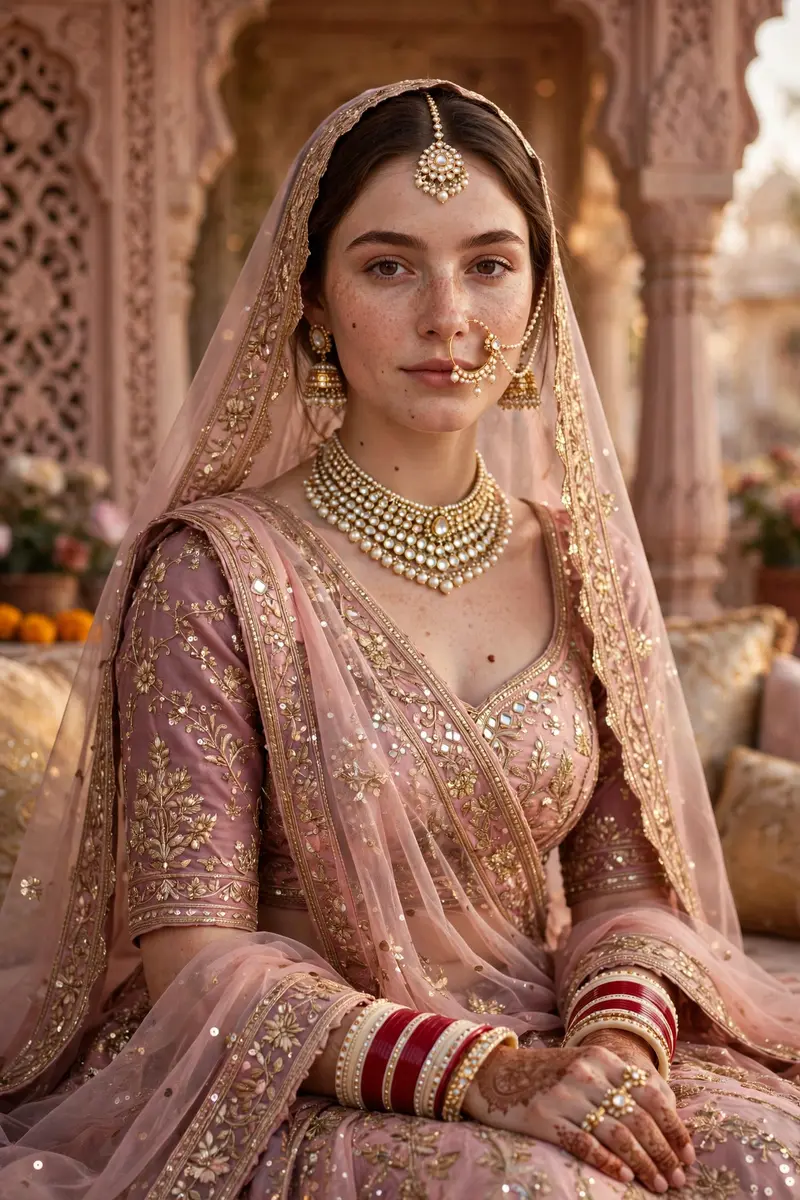
Best Rajasthani Bridal Poshak Portrait AI Prompt
Copy the ready-made prompt below and paste it into ChatGPT, Gemini, or your favorite AI image generator to create a stunning streetwear fashion style image in seconds. No sign-up needed — just copy, paste, and generate.
✦ AI PROMPT
Use the uploaded photo’s face exactly as it is — strictly do not change facial features. Create an ultra-realistic royal Rajasthani bridal portrait inspired by traditional poshak styling. The outfit should be a soft blush-pink and dusty mauve Rajasthani poshak with intricate golden zari embroidery, delicate floral threadwork, mirror detailing, and subtle sequin shimmer. Add sheer duppta over the head with heavy gota-patti borders and fine handcrafted motifs. Include authentic layered pearl and kundan choker necklace, matching earrings, maang tikka, traditional nath with side chain, statement rings, red and ivory bangles, and elegant hand accessories. Pose seated gracefully Background should be a luxurious heritage . Keep the lighting cinematic, soft, warm, and dreamy with highly detailed fabric textures, realistic skin, natural shadows, and premium editorial bridal photography feel.
How to Use This Prompt with ChatGPT & Gemini
Click the Copy button above, then open ChatGPT (with image generation) or Gemini. Paste the prompt, hit generate, and wait a few seconds. You can tweak any detail — colors, lighting, mood — to make it your own.
How to Keep Your Face Unchanged
Want your own face in this style? First generate the base image with the prompt above, then use a face-swap tool like InsightFace or the Remini app to place your face onto the result.



