
Rainy Atmosphere Portrait
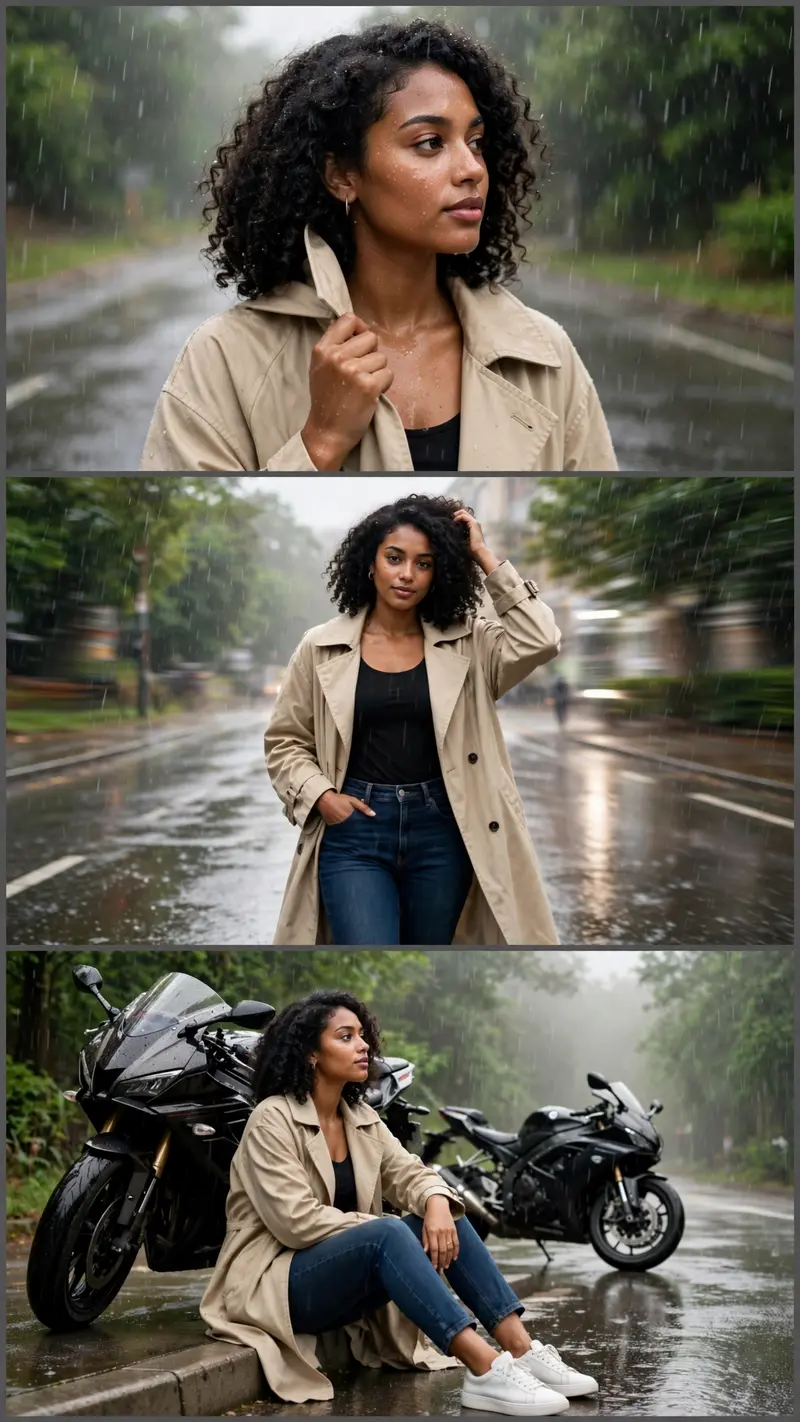
Best Rainy Atmosphere Portrait AI Prompt
Copy the ready-made prompt below and paste it into ChatGPT, Gemini, or your favorite AI image generator to create a stunning photoreal portraits style image in seconds. No sign-up needed — just copy, paste, and generate.
⋈ AI PROMPT
Ratio 9:16. Use the person from the reference photo as the main subject. Keep her exact face, hairstyle, skin tone, expression, and realism unchanged in all three frames. Brown skin. Create a cinematic rainy road collage with the same person in every frame. Outfit: beige oversized trench coat, black fitted top, dark blue high-waist jeans, white sneakers, minimal jewelry. Top: standing on a wet road holding coat collar, looking sideways, raindrops on face. Middle: walking confidently toward the camera, one hand in pocket, touching hair, motion-blur background. Bottom: sitting beside a parked motorcycle, looking into the distance thoughtfully. Bright overcast daylight after rain, reflective wet road, green trees, light fog, puddles, glowing reflections, realistic rain particles, dreamy atmosphere, shallow depth of field, Nikon Z9 DSLR, HDR lighting, ultra-sharp details, high-end fashion editorial style, viral Instagram aesthetic, ultra-realistic 8K.
How to Use This Prompt with ChatGPT & Gemini
Click the Copy button above, then open ChatGPT (with image generation) or Gemini. Paste the prompt, hit generate, and wait a few seconds. You can tweak any detail — colors, lighting, mood — to make it your own.
How to Keep Your Face Unchanged
Want your own face in this style? First generate the base image with the prompt above, then use a face-swap tool like InsightFace or the Remini app to place your face onto the result.



