Radha Rani
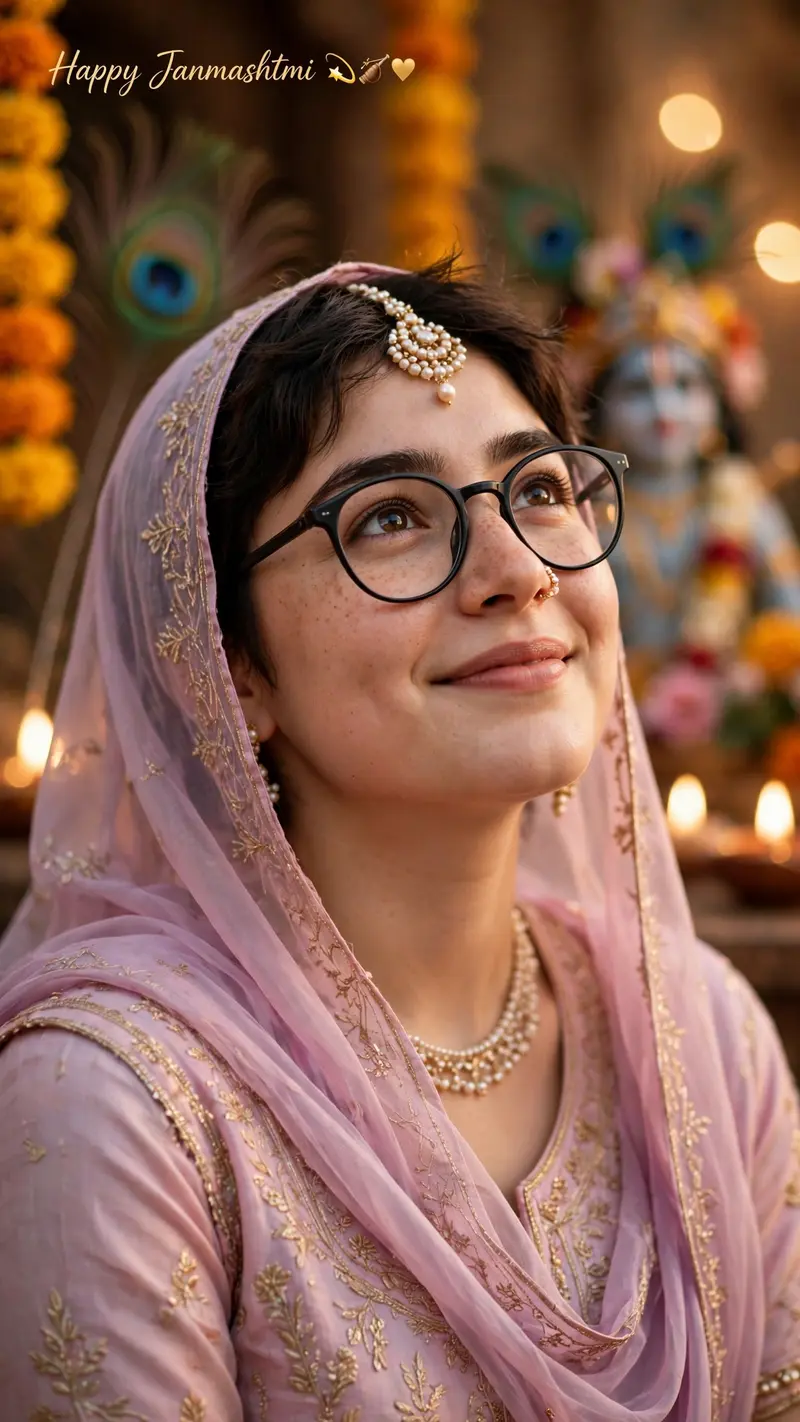
Best Radha Rani AI Prompt
Copy the ready-made prompt below and paste it into ChatGPT, Gemini, or your favorite AI image generator to create a stunning photoreal portraits style image in seconds. No sign-up needed — just copy, paste, and generate.
✦ AI PROMPT
Create a highly realistic HD 9:16 vertical cinematic portrait using my uploaded photo as the exact face reference. IMPORTANT: Do not change, replace, beautify, or alter my identity. Keep my facial features, face shape, eyes, nose, lips, skin tone, eyebrows, and natural smile recognizable and consistent with the reference photo. Transform me into a graceful Radha-inspired Janmashtami traditional look. Dress me in an elegant pastel pink/lavender traditional outfit with delicate golden embroidery and a lightweight matching dupatta covering the head naturally. Add subtle traditional jewelry: elegant pearl-and-gold maang tikka, small earrings, layered pearl necklace, delicate bangles, and a small traditional nose ring. Keep the jewelry realistic and age-appropriate. POSE: Create a natural candid portrait with my head slightly tilted upward and my eyes looking softly toward the upper side, with a gentle happy smile. Relaxed shoulders and graceful posture. BACKGROUND: Create a beautiful cinematic Janmashtami setting with warm festive lighting, marigold flowers, subtle peacock feathers, traditional décor, and a softly blurred Krishna devotional backdrop. Keep the background elegant and not overcrowded. LIGHTING & STYLE: Photorealistic DSLR photography, soft warm golden lighting, realistic skin texture, natural facial details, shallow depth of field, cinematic bokeh, realistic hair strands, high dynamic range, premium festive photography, ultra-detailed, natural colors. COMPOSITION: 9:16 vertical Instagram portrait, subject clearly visible, realistic proportions, face in sharp focus, cinematic depth, professional photography. Add elegant text in the upper-left: "Happy Janmashtmi" with small festive symbols 💫🪈♥️
How to Use This Prompt with ChatGPT & Gemini
Click the Copy button above, then open ChatGPT (with image generation) or Gemini. Paste the prompt, hit generate, and wait a few seconds. You can tweak any detail — colors, lighting, mood — to make it your own.
How to Keep Your Face Unchanged
Want your own face in this style? First generate the base image with the prompt above, then use a face-swap tool like InsightFace or the Remini app to place your face onto the result.