
Neon Vector Portrait
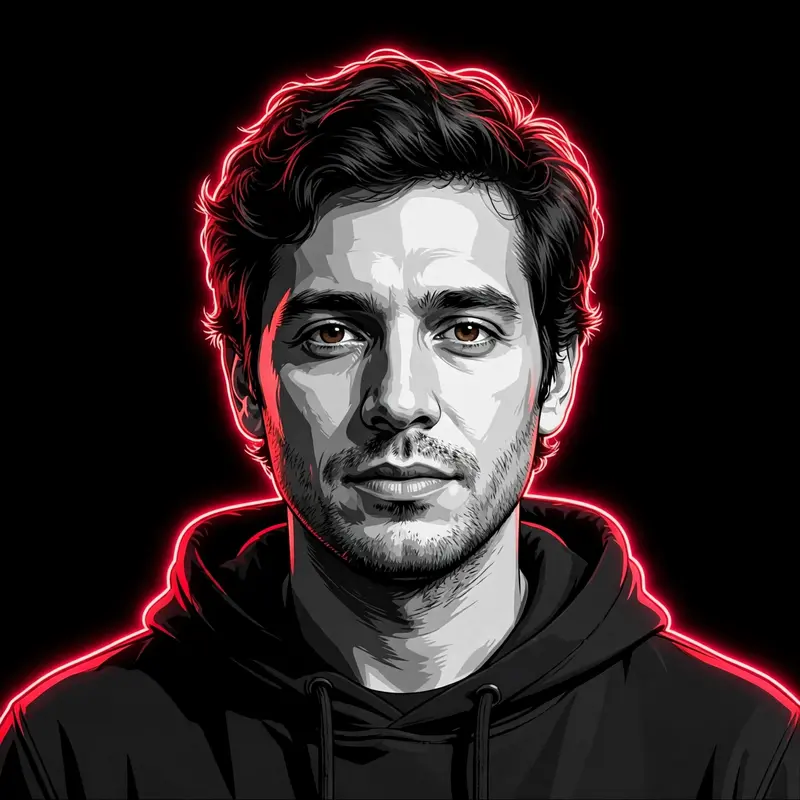
Best Neon Vector Portrait AI Prompt
Copy the ready-made prompt below and paste it into ChatGPT, Gemini, or your favorite AI image generator to create a stunning photoreal portraits style image in seconds. No sign-up needed — just copy, paste, and generate.
⋈ AI PROMPT
Use the uploaded image as the base image. Do not change the person, face, pose, expression, hairstyle, outfit, framing, or camera angle — everything must remain exactly the same with a 100% face match and identical composition. Convert the image into a high-contrast vector illustration in a minimalist modern graphic design style. Use a grayscale palette for the face, skin, and clothing with sharp cell-shading and deep black shadows to create strong contrast. Add intense neon red rim lighting outlining the subject’s silhouette, hair, and shoulders to create a dramatic glow against a pure solid black background. Maintain crisp vector edges, bold contrast, and a clean poster-style aesthetic. The subject must remain the clear focal point with identical proportions and pose as the original photo. Ultra sharp, modern, edgy vector artwork with professional graphic design quality.
How to Use This Prompt with ChatGPT & Gemini
Click the Copy button above, then open ChatGPT (with image generation) or Gemini. Paste the prompt, hit generate, and wait a few seconds. You can tweak any detail — colors, lighting, mood — to make it your own.
How to Keep Your Face Unchanged
Want your own face in this style? First generate the base image with the prompt above, then use a face-swap tool like InsightFace or the Remini app to place your face onto the result.



