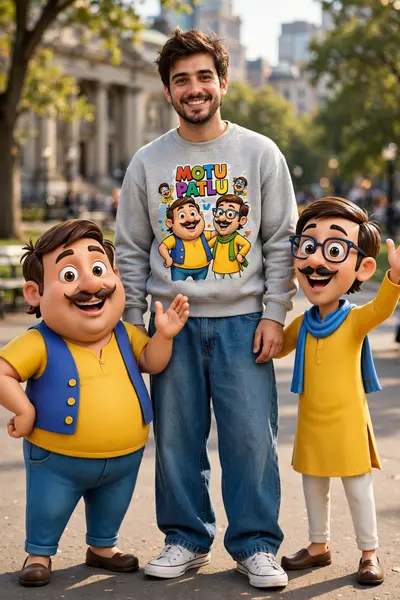
Motu Patlu Cartoon Photo
![Create an ultra-realistic DSLR-style full-body portrait of [PERSON DESCRIPTION] standing confidently in the middle of a quiet rural road during a](/wp-content/uploads/2026/10/thumbs/large/2253.webp)
Best Motu Patlu Cartoon Photo AI Prompt
Copy the ready-made prompt below and paste it into ChatGPT, Gemini, or your favorite AI image generator to create a stunning photoreal portraits style image in seconds. No sign-up needed — just copy, paste, and generate.
⋈ AI PROMPT
Create an ultra-realistic DSLR-style full-body portrait of [PERSON DESCRIPTION] standing confidently in the middle of a quiet rural road during a beautiful golden sunset. The person is wearing [OUTFIT], looking directly at the camera with a calm, slightly smiling expression. Their face, hairstyle, skin tone, body shape, clothing, and identity must remain exactly the same as the reference image. The person is holding two realistic 3D cartoon characters suspended in the air by gripping the tops of their shirts with each hand. The left side features a chubby bald cartoon man with a black moustache wearing a red outfit and yellow leggings, hanging naturally with realistic gravity. The right side features a thin bald cartoon man with round glasses wearing a yellow kurta and orange pants, also hanging naturally. Blend both cartoon characters seamlessly into the real environment with accurate scale, realistic lighting, matching shadows, contact shadows, ambient occlusion, natural perspective, and lifelike textures so they appear physically present in the photograph instead of pasted. Background: empty countryside road, green bushes, trees, warm orange sunset sky with dramatic clouds. Camera: Canon EOS R5, 85mm lens, f/1.8, HDR photography, ultra-realistic skin texture, cinematic color grading, soft golden-hour light, shallow depth of field, realistic reflections, natural skin tones, highly detailed fabric textures, 8K resolution. Composition: centered subject, full body visible, vertical 9:16 Instagram Reel format. Add a bold white Hindi caption with black outline at the top of the image in viral reel style. Negative Prompt: low quality, blurry, AI artifacts, floating objects, incorrect anatomy, extra fingers, duplicate limbs, distorted face, cartoonish human skin, unrealistic lighting, poor shadows, oversaturated colors, watermark, logo, text errors, cropped body, bad proportions.
How to Use This Prompt with ChatGPT & Gemini
Click the Copy button above, then open ChatGPT (with image generation) or Gemini. Paste the prompt, hit generate, and wait a few seconds. You can tweak any detail — colors, lighting, mood — to make it your own.
How to Keep Your Face Unchanged
Want your own face in this style? First generate the base image with the prompt above, then use a face-swap tool like InsightFace or the Remini app to place your face onto the result.
![Characters: [Motu Character 1], [Patlu Character 2], Use the uploaded image as the exact character reference. Keep the same character(s), appearance](/wp-content/uploads/2026/10/thumbs/1912.webp)