Moody Forest Filter
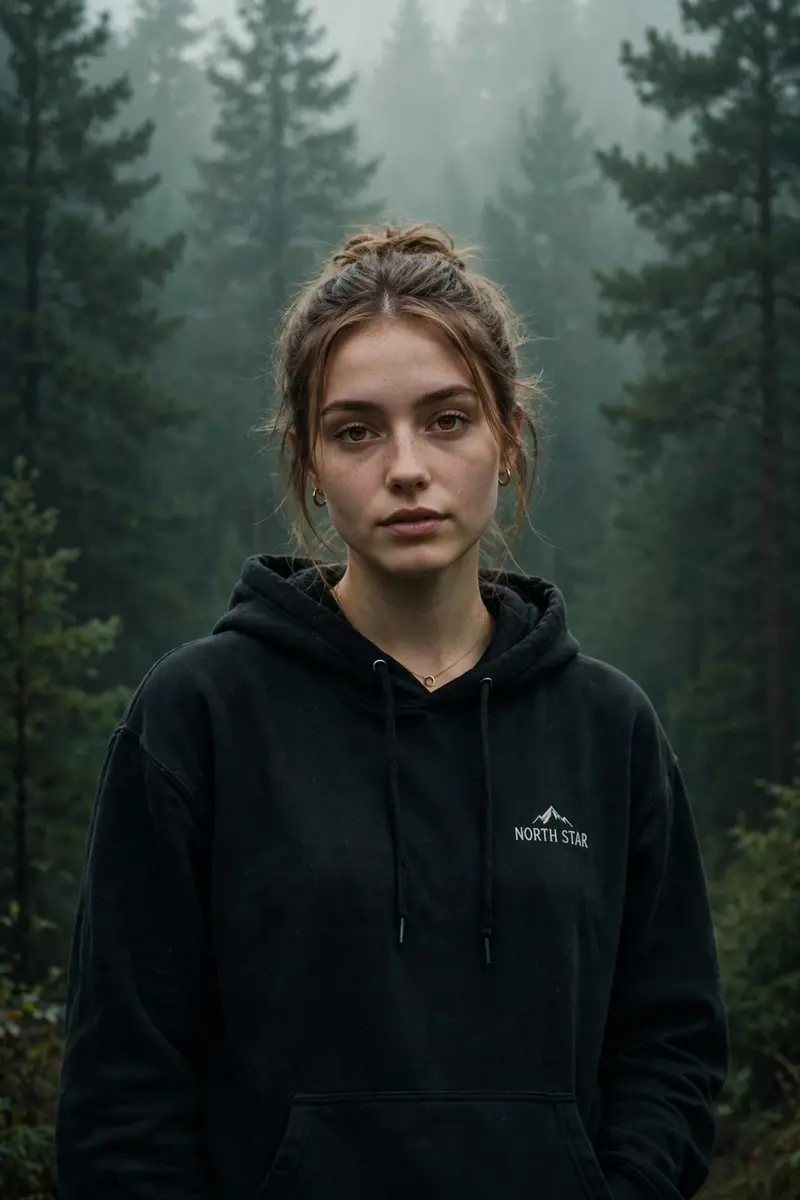
Best Moody Forest Filter AI Prompt
Copy the ready-made prompt below and paste it into ChatGPT, Gemini, or your favorite AI image generator to create a stunning photoreal portraits style image in seconds. No sign-up needed — just copy, paste, and generate.
⋈ AI PROMPT
Cinematic moody forest color grading, dark green pine forest background, muted colors, soft matte finish, deep shadows, low saturation, foggy atmosphere, cool green and grey tones, faded blacks, high contrast subject, subtle film grain, dreamy depth, soft natural light, teal and olive color palette, professional reel look, asthetic Instagram cinematic edit, ultra realistic, sharp subject, background haze,4K quality. IMPORTANT: Keep the exact same person, face, hairstyle, pose, body shape, and clothing unchanged. The subject must wear the same original outfit/ dress as in the reference image. Do not change, replace, redesign, recolor, or generate a new outfit. Preserve all clothing details, fabric, patterns, logos, accessories, and fit exactly as they are. Only apply cinematic color grading and background atmosphere. No wardrobe changes, no costume changes, no fashion alterations.
How to Use This Prompt with ChatGPT & Gemini
Click the Copy button above, then open ChatGPT (with image generation) or Gemini. Paste the prompt, hit generate, and wait a few seconds. You can tweak any detail — colors, lighting, mood — to make it your own.
How to Keep Your Face Unchanged
Want your own face in this style? First generate the base image with the prompt above, then use a face-swap tool like InsightFace or the Remini app to place your face onto the result.
Want to explore more? Our prompt seen couple section has plenty to choose from.