
Monochrome Surreal Mountain Portrait
Best Monochrome Surreal Mountain Portrait AI Prompt
Copy the ready-made prompt below and paste it into ChatGPT, Gemini, or your favorite AI image generator to create a stunning photoreal portraits style image in seconds. No sign-up needed — just copy, paste, and generate.
⋈ AI PROMPT
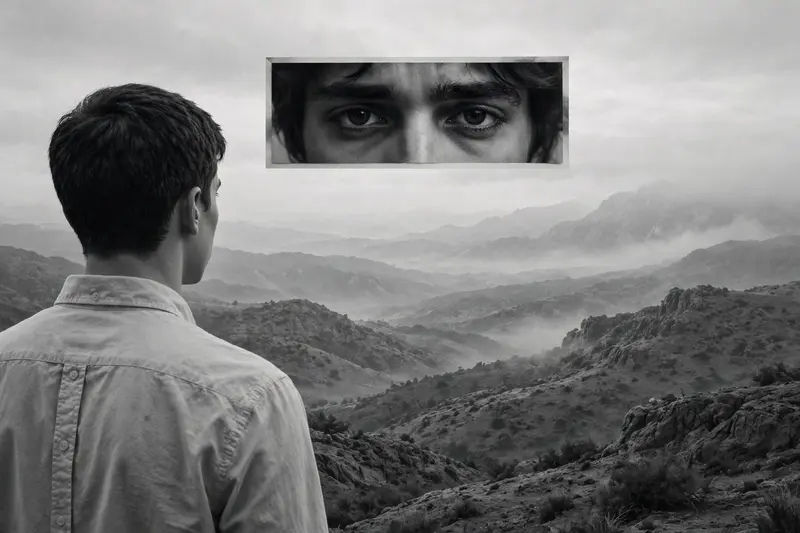
A monochrome, surreal artistic composition featuring a young male seen from behind, positioned on the left side of the frame. He has short, dark hair and is wearing a light-colored, button-up collared shirt. He is looking out toward a mountainous, hazy landscape in the background. Suspended in the upper center of the frame is a horizontal, rectangular inset containing a close-up of a pair of human eyes with dark hair framing them, looking directly ahead with an intense, melancholic expression. The lighting is soft and diffuse, typical of an overcast day, creating a somber and moody atmosphere. The overall style is minimalist and conceptually layered, blending a wide landscape view with a fragmented portrait element. The contrast between the back of the man's head and the focused gaze in the inset creates a feeling of detachment and introspection. The color palette consists entirely of shades of gray, black, and white, emphasizing the textures of the shirt and the rugged, rolling terrain of the distant hills.
How to Use This Prompt with ChatGPT & Gemini
Click the Copy button above, then open ChatGPT (with image generation) or Gemini. Paste the prompt, hit generate, and wait a few seconds. You can tweak any detail — colors, lighting, mood — to make it your own.
How to Keep Your Face Unchanged
Want your own face in this style? First generate the base image with the prompt above, then use a face-swap tool like InsightFace or the Remini app to place your face onto the result.



