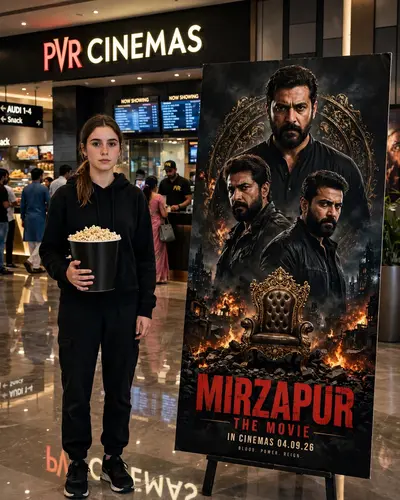
Mirzapur Cinema Poster
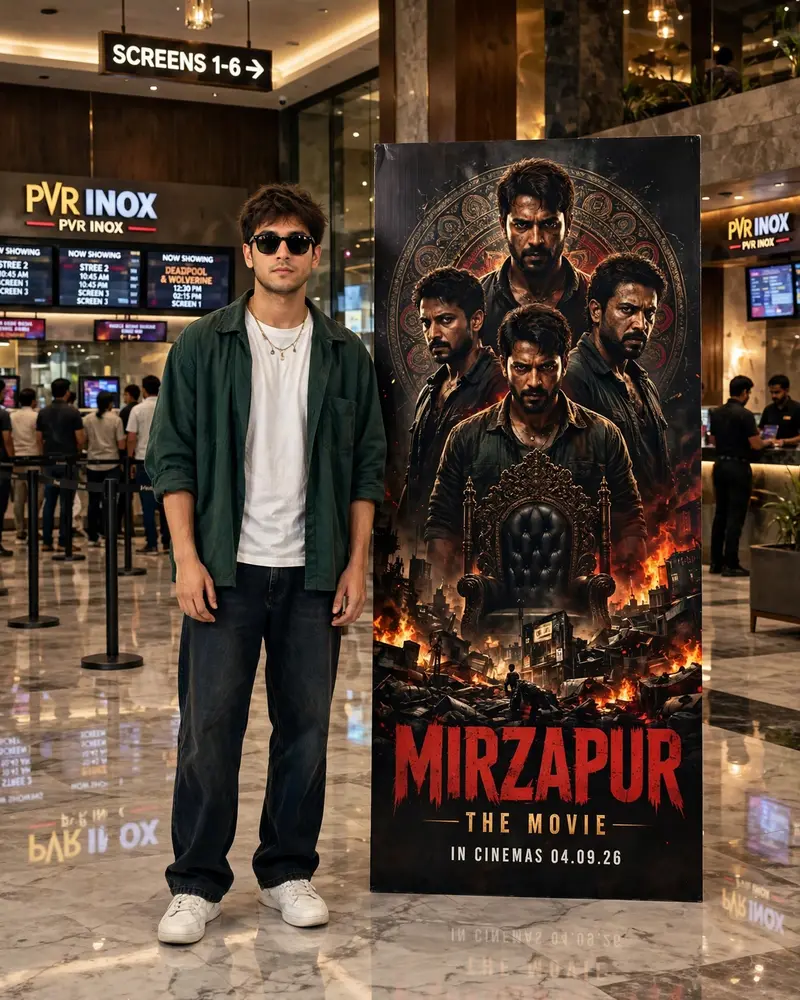
Best Mirzapur Cinema Poster AI Prompt
Copy the ready-made prompt below and paste it into ChatGPT, Gemini, or your favorite AI image generator to create a stunning photoreal portraits style image in seconds. No sign-up needed — just copy, paste, and generate.
⋈ AI PROMPT
Use the uploaded image as the main and exact reference for the person. Recreate the scene as an ultra-realistic vertical 4:5 photograph. Preserve the person exactly as shown in the uploaded image — same face, facial features, hairstyle, hair texture, skin tone, sunglasses, expression, body shape, height, proportions, pose, hand position, clothing, white T-shirt, dark green overshirt, loose dark jeans, white sneakers, necklace, and overall appearance. Do not beautify, retouch, slim, reshape, redesign, or alter the person in any way. Place the person naturally on the left side of a modern PVR INOX cinema lobby, standing full-body and completely unobstructed. On the right side, place a tall freestanding “MIRZAPUR: THE MOVIE” promotional poster. The poster should have a dark crime-thriller aesthetic, featuring three intense male characters, an ornate circular decorative background, a fiery cityscape, a dramatic throne, distressed red “MIRZAPUR” title typography, “THE MOVIE”, and “IN CINEMAS 04.09.26” at the bottom. Create an authentic premium Indian cinema environment with PVR INOX branding, ticket counters, digital screens, showtime boards, people waiting in queues, queue barriers, polished marble flooring, realistic reflections, glass and dark wood interiors, and warm architectural lighting. Lighting & Quality Use proper balanced cinematic lighting — bright enough to clearly show the person's face, clothing, hands, and full body while maintaining realistic warm cinema ambience. Add soft overhead illumination, natural highlights on the face and clothes, realistic contact shadows, subtle poster illumination, and accurate reflections on the marble floor. Photorealistic DSLR photography, natural skin texture, realistic hair detail, physically accurate shadows, realistic perspective, HDR, balanced exposure, subtle depth of field, cinematic warm tones, professional photography, highly detailed, natural colors. No CGI look, no artificial beauty filter, no excessive HDR, no plastic skin, no distorted anatomy, no extra fingers, no altered clothing, no duplicated people, no cropped feet, no food, no popcorn, no unnecessary accessories or props. Aspect ratio: 4:5 vertical.
How to Use This Prompt with ChatGPT & Gemini
Click the Copy button above, then open ChatGPT (with image generation) or Gemini. Paste the prompt, hit generate, and wait a few seconds. You can tweak any detail — colors, lighting, mood — to make it your own.
How to Keep Your Face Unchanged
Want your own face in this style? First generate the base image with the prompt above, then use a face-swap tool like InsightFace or the Remini app to place your face onto the result.