
Low Key Cinematic Portrait
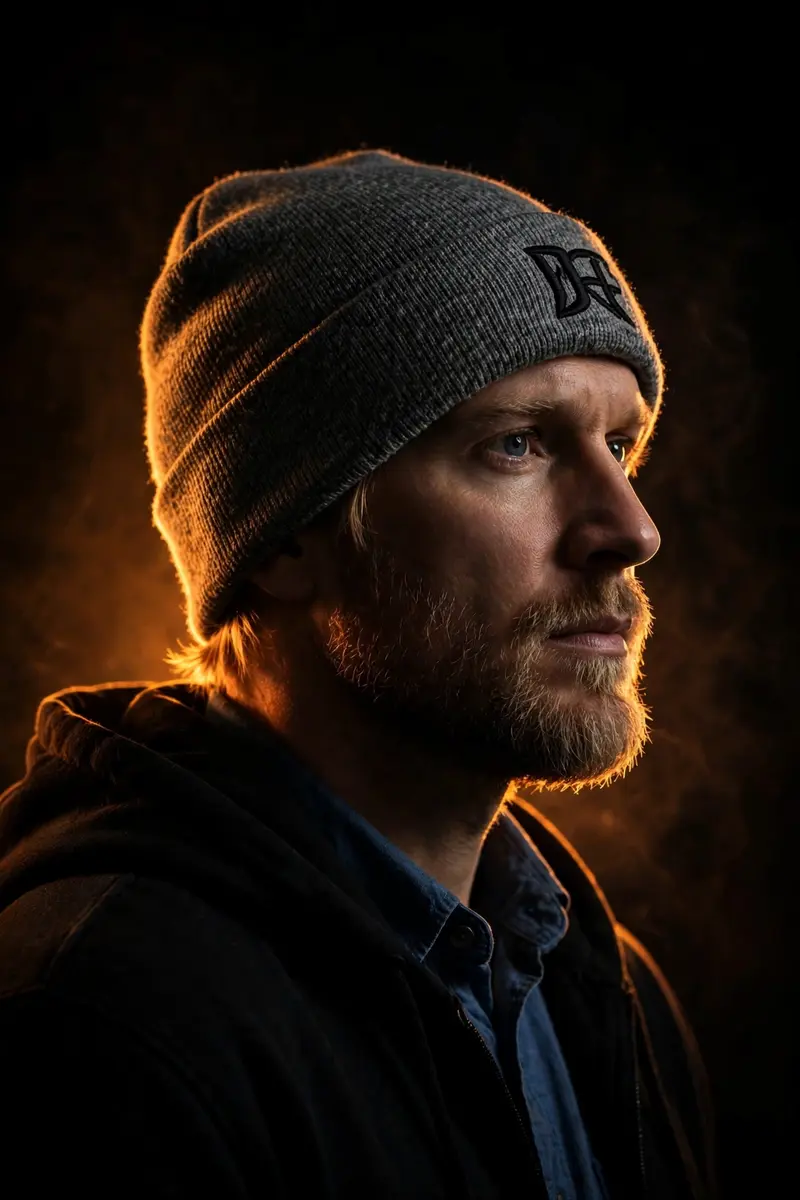
Best Low Key Cinematic Portrait AI Prompt
Copy the ready-made prompt below and paste it into ChatGPT, Gemini, or your favorite AI image generator to create a stunning photoreal portraits style image in seconds. No sign-up needed — just copy, paste, and generate.
✦ AI PROMPT
Transform this picture into a Cinematic low-key portrait with a dark, moody atmosphere. The background is almost بالكامل black with minimal visible detail, featuring faint warm A strong, hard backlight (warm orange/amber tone) is placed behind the subject. This light creates a sharp, glowing rim light outlining the edges of the head, hair, shoulders, and upper body. The rim light should have high intensity with a subtle glow effect, emphasizing separation from the dark background. A soft, low-intensity front fill light is used to gently illuminate the front of the subject, keeping shadows deep dark, The lighting ratio remains high contrast, with dominant shadows and controlled highlights.. Skin tones remain natural. Most important: don't change my body or pose angle, keep it 100% lock
How to Use This Prompt with ChatGPT & Gemini
Click the Copy button above, then open ChatGPT (with image generation) or Gemini. Paste the prompt, hit generate, and wait a few seconds. You can tweak any detail — colors, lighting, mood — to make it your own.
How to Keep Your Face Unchanged
Want your own face in this style? First generate the base image with the prompt above, then use a face-swap tool like InsightFace or the Remini app to place your face onto the result.



