
Krishna Smoke Guardian Portrait
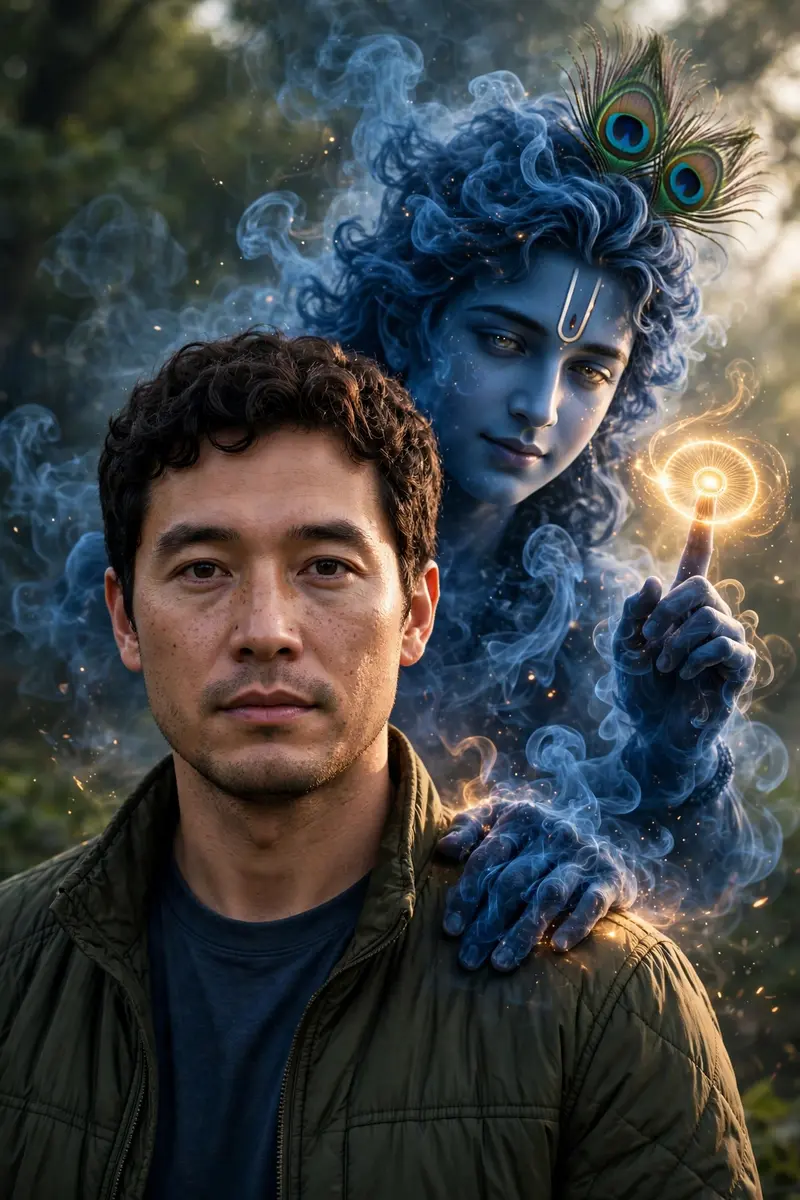
Best Krishna Smoke Guardian Portrait AI Prompt
Copy the ready-made prompt below and paste it into ChatGPT, Gemini, or your favorite AI image generator to create a stunning photoreal portraits style image in seconds. No sign-up needed — just copy, paste, and generate.
✦ AI PROMPT
Create an ultra-realistic, high-resolution cinematic portrait using the provided reference image. Preserve the subject exactly as they are — do not alter the face, body, skin tone, expression, hairstyle, clothing, posture, or composition in any way. Behind the subject, manifest a divine appearance of Lord Krishna emerging naturally from the environment. Krishna must be large yet perfectly scaled to match the subject’s height, camera angle, and perspective. His form should be constructed from swirling deep-blue smoke, soft volumetric shadows, and subtle glowing particles — partially transparent but clearly recognizable. Avoid ghostly, horror, cartoon, or fantasy-art styles. Maintain authentic Hindu iconography. Krishna should have calm, compassionate, faintly glowing eyes that convey protective power rather than aggression. Place the Sudarshan Chakra elegantly rotating on one raised finger with soft golden light emission that realistically affects nearby smoke and atmosphere. His other hand should rest gently on the subject’s shoulder from behind in a blessing and protective gesture — ensuring the subject’s face, hair, and body remain fully visible. Environmental Integration (EXTREMELY IMPORTANT) Match the original lighting direction, softness, temperature, and contrast Replicate the same depth of field and background blur Add physically accurate rim lighting where Krishna intersects light sources Generate realistic contact shadows Preserve natural color science and dynamic range Ensure smoke interacts with ambient light correctly Cinematic Color Grading Apply professional cinematic color grading similar to high-end digital cinema: Natural skin tones Slightly cool shadows with gently warm highlights Controlled contrast (avoid crushed blacks) Wide dynamic range No oversaturation No artificial neon colors Portrait Quality Requirements 8K detail Hyper-real textures Sharp facial clarity Natural micro-contrast Professional lens rendering Subtle film-grade tonal separation Strict Rules Do NOT modify the subject Do NOT crop, warp, or distort the image Do NOT change the background composition No watermark No text No artificial glow on the subject The final image must feel dramatic, mystical, powerful, and cinematic — as if a divine guardian has been captured naturally through shadow, smoke, and light in a real photograph.
How to Use This Prompt with ChatGPT & Gemini
Click the Copy button above, then open ChatGPT (with image generation) or Gemini. Paste the prompt, hit generate, and wait a few seconds. You can tweak any detail — colors, lighting, mood — to make it your own.
How to Keep Your Face Unchanged
Want your own face in this style? First generate the base image with the prompt above, then use a face-swap tool like InsightFace or the Remini app to place your face onto the result.



