Instagram Wall Photo
Best Instagram Wall Photo AI Prompt
Copy the ready-made prompt below and paste it into ChatGPT, Gemini, or your favorite AI image generator to create a stunning photoreal portraits style image in seconds. No sign-up needed — just copy, paste, and generate.
⋈ AI PROMPT
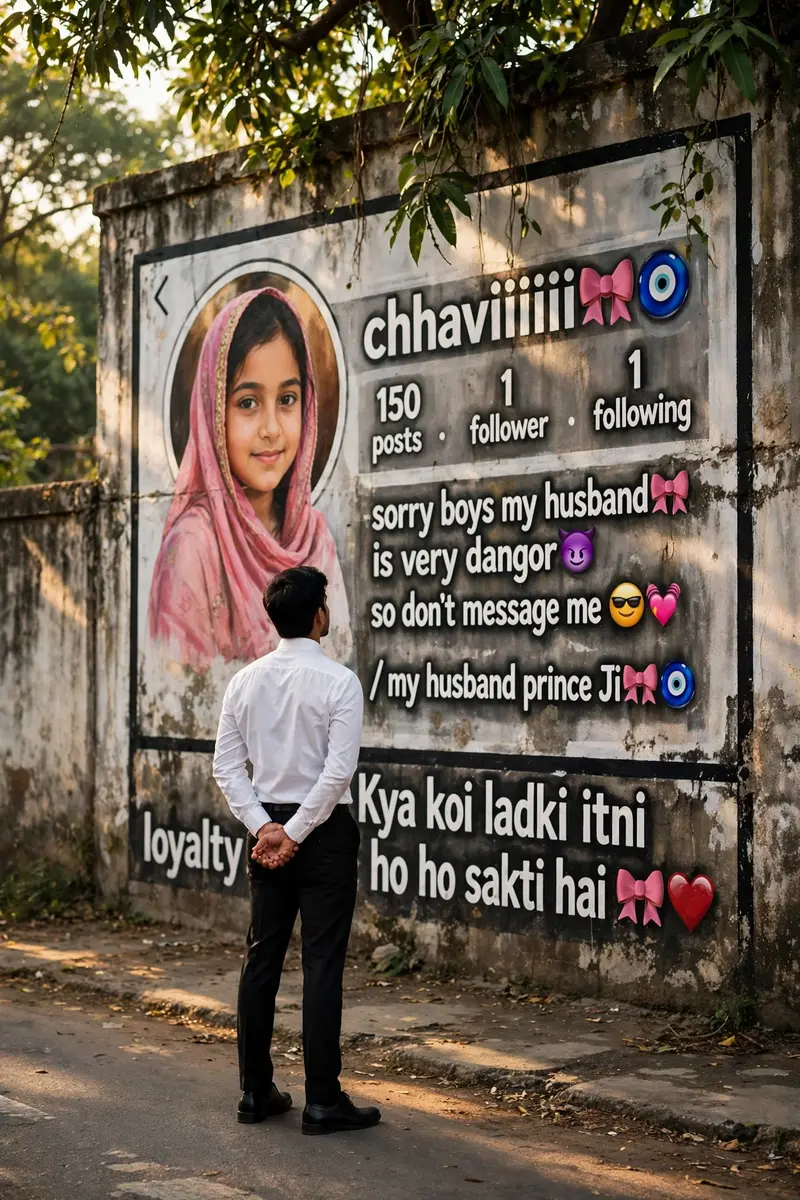
Ultra-realistic cinematic street photography, a young Indian man viewed from behind, wearing a crisp white full-sleeve formal shirt tucked into black trousers with black formal shoes, standing on a quiet roadside with his hands clasped behind his back, looking at a giant Instagram profile mockup painted on a long old concrete wall. The oversized Instagram profile features a circular profile picture of a girl wearing a pink traditional dupatta, username "chhaviiiiii🎀🧿", "150 posts", "1 follower", "1 following", and a bio reading "sorry boys my husband🎀 is very dangor😈 so don't message me 😎💖 / my husband prince Ji🎀🧿". At the bottom of the wall is bold Hindi text: "Kya koi ladki itni loyalty ho sakti hai 🎀❤️". The wall has realistic weather stains, dirt, and black border lines, with lush green trees hanging above creating soft dappled sunlight and natural shadows on the pavement. Warm golden-hour lighting, DSLR photography, 35mm lens, f/2.8, shallow depth of field, ultra-detailed textures, realistic colors, high dynamic range, natural perspective, photorealistic, 8K, vertical composition, documentary-style photography. Negative Prompt: blurry, low quality, cartoon, CGI, painting, extra people, distorted body, duplicate objects, low resolution, watermark, logo, text artifacts, oversaturated colors, unrealistic lighting, noise, deformed hands, cropped subject.
How to Use This Prompt with ChatGPT & Gemini
Click the Copy button above, then open ChatGPT (with image generation) or Gemini. Paste the prompt, hit generate, and wait a few seconds. You can tweak any detail — colors, lighting, mood — to make it your own.
How to Keep Your Face Unchanged
Want your own face in this style? First generate the base image with the prompt above, then use a face-swap tool like InsightFace or the Remini app to place your face onto the result.