Independence Day Collage
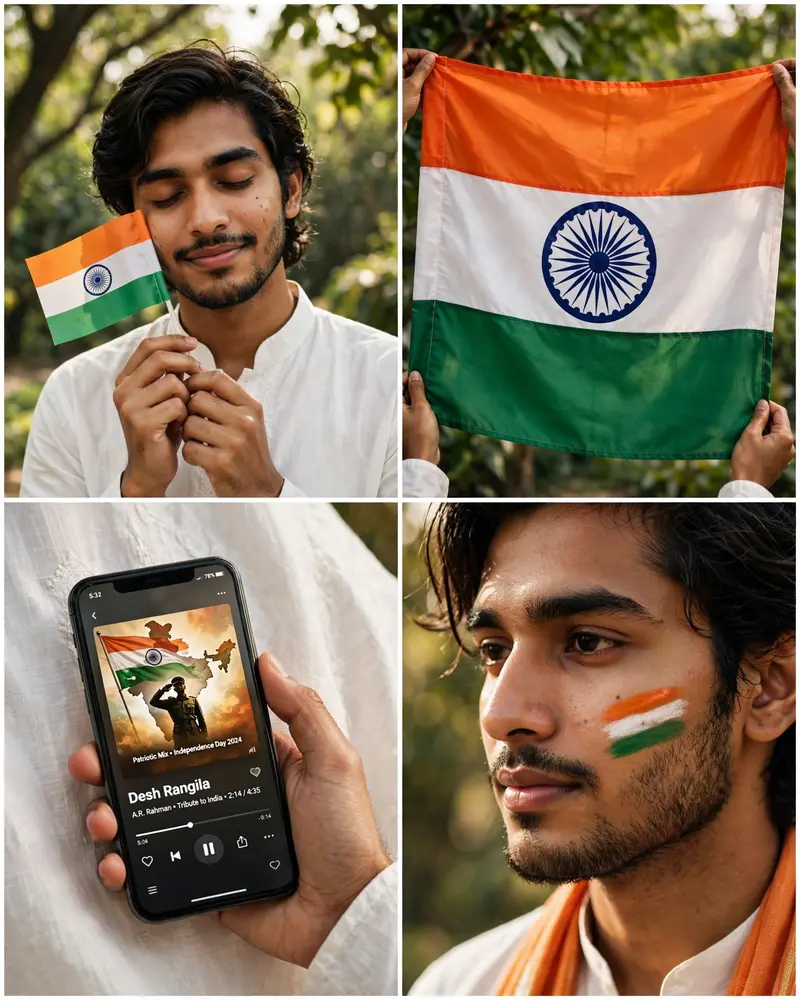
Best Independence Day Collage AI Prompt
Copy the ready-made prompt below and paste it into ChatGPT, Gemini, or your favorite AI image generator to create a stunning photoreal portraits style image in seconds. No sign-up needed — just copy, paste, and generate.
⋈ AI PROMPT
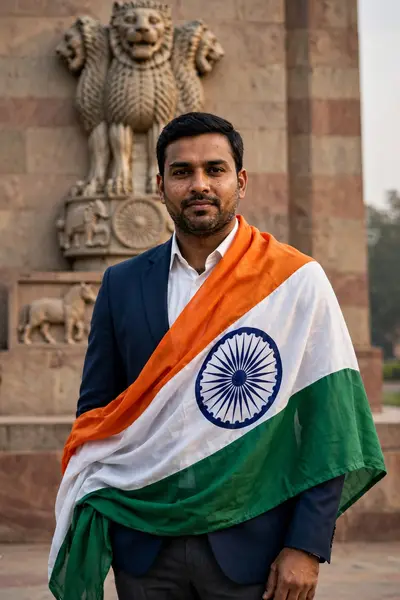
Use the uploaded reference image as the visual and identity reference. Create a photorealistic vertical 4-panel Instagram-style Independence Day collage featuring the same young Indian man throughout all panels. Preserve his facial identity, face shape, skin tone, hairstyle, eyebrows, eyes, nose, lips, beard/moustache, natural features, and overall appearance consistently across every panel. Overall format: 4:5 vertical portrait, four equal rectangular panels arranged in a clean 2×2 grid with thin white dividers, realistic smartphone/social-media aesthetic, natural outdoor lighting, warm cinematic color grading, highly detailed skin and fabric textures, realistic photography, sharp focus, premium Instagram editorial look. Top-left panel: Medium close-up portrait of the young man outdoors under trees in soft daylight. He is wearing an elegant, crisp white traditional Indian kurta with subtle premium fabric texture. He has a clean, well-groomed appearance. His long/medium dark hair is styled naturally according to the reference image. Eyes gently closed with a peaceful, subtle smile. He holds a small Indian national flag close to his face with both hands, the flag positioned beside his cheek. A small natural black tilak/bindi-style mark may be visible if present in the reference. Background consists of softly blurred green trees and branches with natural sunlight and beautiful bokeh. Top-right panel: Close-up photograph of a large Indian national flag being held outdoors. The saffron, white and green fabric fills almost the entire frame, with the navy-blue Ashoka Chakra clearly visible in the center. Realistic cloth folds, wrinkles, stitching and natural sunlight. Green foliage softly visible behind the flag. A person's hands/arms are subtly visible holding the flag from the edges. Bottom-left panel: Close-up of a modern smartphone held in one hand against the man's white kurta. The phone screen displays a music player playing the patriotic Hindi song “Desh Rangila” with Indian flag/soldier-themed artwork visible on the screen. Show realistic phone reflections, interface details, progress bar and album artwork. Keep the surrounding white kurta fabric highly detailed and softly illuminated. Bottom-right panel: Extreme close-up beauty portrait of the same man, showing the side/front portion of his face. His hair is neatly styled while some natural strands remain visible. His eyes are beautifully detailed with subtle natural grooming. Three horizontal Indian tricolor stripes—saffron, white and green—are painted naturally on his cheek. He wears the same white kurta, with a saffron/orange stole or dupatta-style fabric naturally draped around his neck. Warm natural sunlight highlights his cheek, eyelashes, facial hair, skin texture and fabric. Background is softly blurred greenery. Important: Maintain the exact same man and appearance across all four panels. Do not change facial proportions, hairstyle, beard/moustache, skin tone, facial structure, body appearance or identity. Keep clothing consistently white and traditional. Make the Indian flag colors accurate and vibrant but realistic. No distorted hands, no extra fingers, no warped phone, no duplicated objects, no artificial-looking skin, no cartoon effect. Photorealistic DSLR photography, realistic depth of field, 50mm and 85mm portrait photography, natural sunlight, subtle HDR, cinematic color grading, ultra-detailed textures, realistic shadows, premium editorial photography, 8K quality. Aspect ratio: 4:5 vertical.
How to Use This Prompt with ChatGPT & Gemini
Click the Copy button above, then open ChatGPT (with image generation) or Gemini. Paste the prompt, hit generate, and wait a few seconds. You can tweak any detail — colors, lighting, mood — to make it your own.
How to Keep Your Face Unchanged
Want your own face in this style? First generate the base image with the prompt above, then use a face-swap tool like InsightFace or the Remini app to place your face onto the result.