
Holi With Krishna Portrait
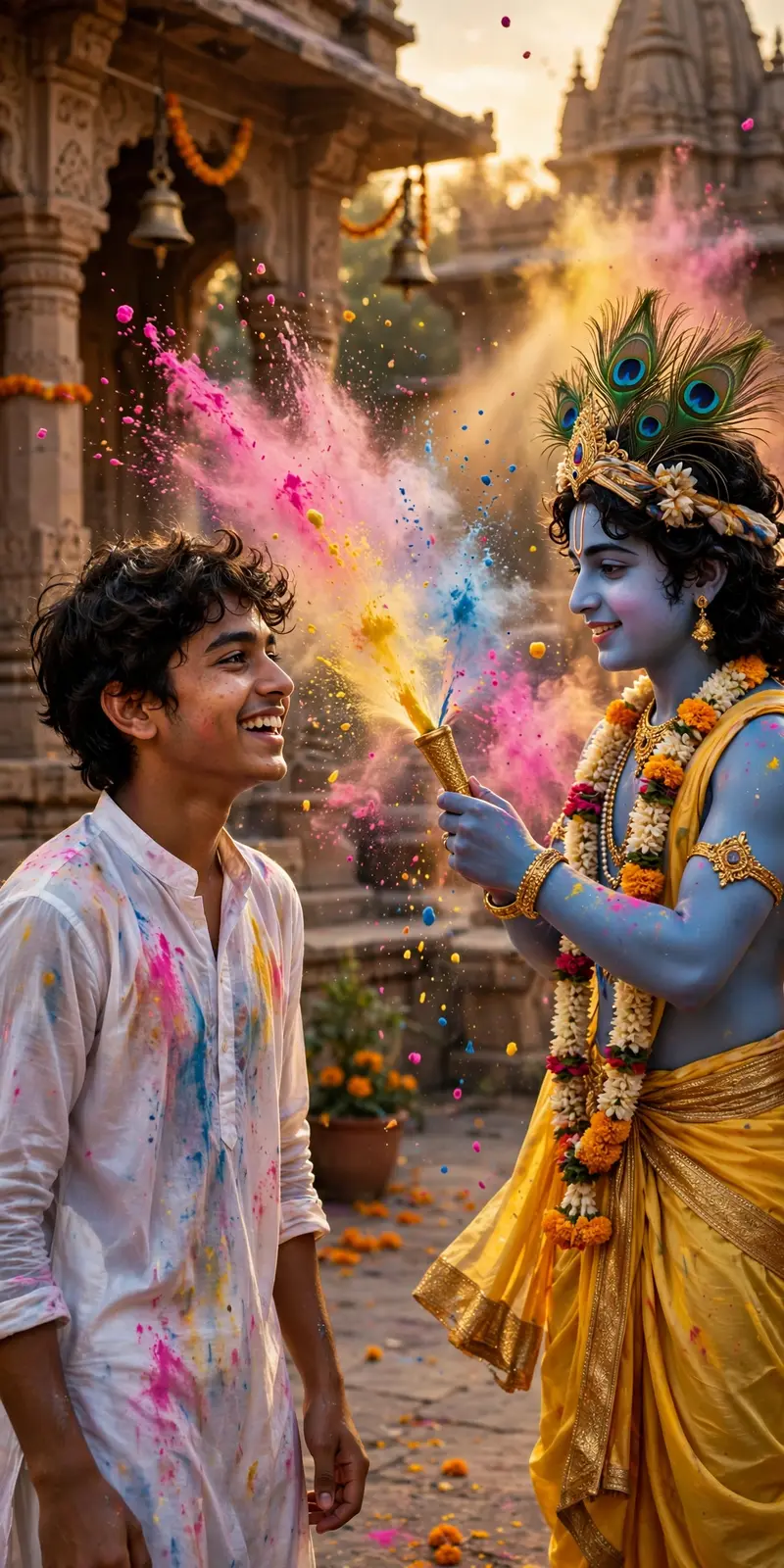
Best Holi With Krishna Portrait AI Prompt
Copy the ready-made prompt below and paste it into ChatGPT, Gemini, or your favorite AI image generator to create a stunning photoreal portraits style image in seconds. No sign-up needed — just copy, paste, and generate.
✦ AI PROMPT
Use the uploaded reference image as the exact face reference. Preserve 100% identical facial features - same eyes, same nose shape, same lips, same jawline, same hairstyle, same skin tone, same facial proportions. Do NOT modify identity. Do NOT beautify, reshape, enhance, stylize, or alter the face in any way. Face must match perfectly with high realism and natural skin texture. Ultra-realistic cinematic vertical portrait of the person from the reference image playing Holi with Lord Krishna in a beautiful Vrindavan temple courtyard. The person is joyfully smiling, wearing a slightly wet white kurta (for boys) / white kurti or saree (for girls) with natural pink, yellow, and blue gulal stains. Lord Krishna standing beside them with divine blue skin tone, detailed peacock feather crown, yellow silk dhoti flowing naturally, floral garland around neck, holding a golden pichkari spraying vibrant color powder into the air. Vibrant gulal particles frozen mid-air, dynamic motion, soft golden sunset lighting, volumetric sun rays passing through floating powder, shallow depth of field, 85mm lens portrait photography, ultra-detailed skin texture, natural pores, realistic fabric folds, cinematic HDR color grading, devotional emotional atmosphere, hyper-realistic photography, 8K resolution, masterpiece, symmetrical composition, vertical frame, subject centered. Negative Prompt (Very Important) face change, different person, altered facial structure, beauty filter, smooth skin filter, cartoon face, anime style, stylized face, extra fingers, extra hands, distorted anatomy, blurry face, low resolution, overexposed, underexposed, unrealistic skin, plastic skin, artificial look, CGI look, deformed face, mutated features, bad proportions, asymmetrical face, duplicate face please make overall natural and real
How to Use This Prompt with ChatGPT & Gemini
Click the Copy button above, then open ChatGPT (with image generation) or Gemini. Paste the prompt, hit generate, and wait a few seconds. You can tweak any detail — colors, lighting, mood — to make it your own.
How to Keep Your Face Unchanged
Want your own face in this style? First generate the base image with the prompt above, then use a face-swap tool like InsightFace or the Remini app to place your face onto the result.



