Holi Couple Saree Photoshoot
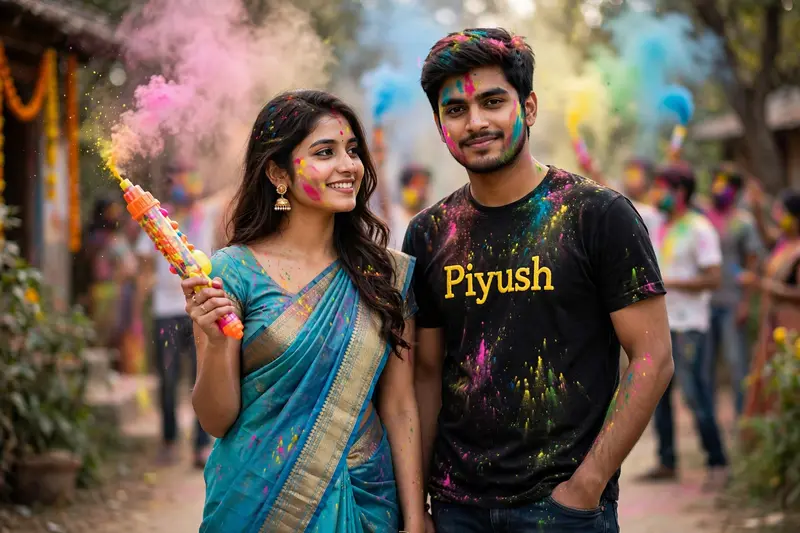
Best Holi Couple Saree Photoshoot AI Prompt
Copy the ready-made prompt below and paste it into ChatGPT, Gemini, or your favorite AI image generator to create a stunning photoreal portraits style image in seconds. No sign-up needed — just copy, paste, and generate.
✦ AI PROMPT
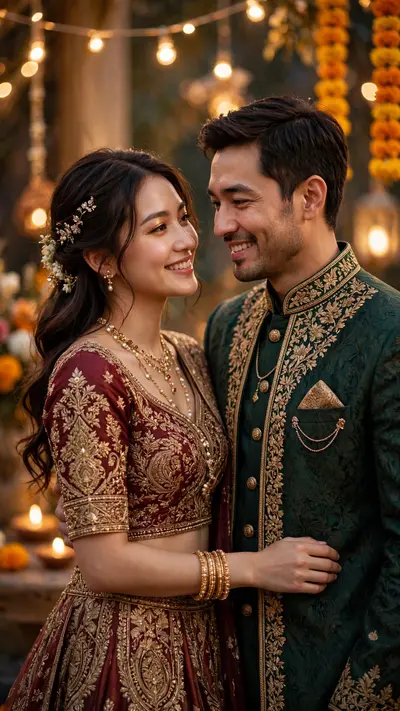
Use the uploaded male photo and uploaded female photo as the PRIMARY and ONLY face references.Both faces must match 100% exactly — same identity, facial structure, skin tone, eyes, nose, lips, hair, and expressions.Do NOT change faces. Do NOT beautify excessively.NO anime, NO cartoon, NO illustration. Faces must be fully realistic and photographic.Create a realistic Indian Holi couple photoshoot scene.A stylish young Indian couple standing together confidently.Female look:– Wearing a beautiful turquoise / blue saree with golden border– Traditional Indian jewelry (earrings, bindi, light makeup)– Holding a colorful pichkari (water gun) in hand– Natural smile, elegant poseMale look:– Wearing a black t-shirt and dark jeans– Name text like “Piyush” written on the t-shirt (customizable)– One hand in pocket, other resting casually– Confident and stylish postureHoli details:– Natural gulal colors on faces and clothes (pink, blue, yellow, green)– Color smoke in the background– Festive Indian outdoor location (garden / village lane)– People celebrating Holi softly blurred in backgroundPhotography & Quality:– DSLR camera look– Cinematic natural daylight– Ultra-realistic skin texture– Sharp focus on both faces– Soft background blur (bokeh)– High dynamic range– 4K ultra-HD resolutionMood:– Romantic– Festive– Stylish– Joyful Holi celebrationFinal image must look like a REAL professional photoshoot, not AI generated.
How to Use This Prompt with ChatGPT & Gemini
Click the Copy button above, then open ChatGPT (with image generation) or Gemini. Paste the prompt, hit generate, and wait a few seconds. You can tweak any detail — colors, lighting, mood — to make it your own.
How to Keep Your Face Unchanged
Want your own face in this style? First generate the base image with the prompt above, then use a face-swap tool like InsightFace or the Remini app to place your face onto the result.