
Golden Hour Saree Portrait
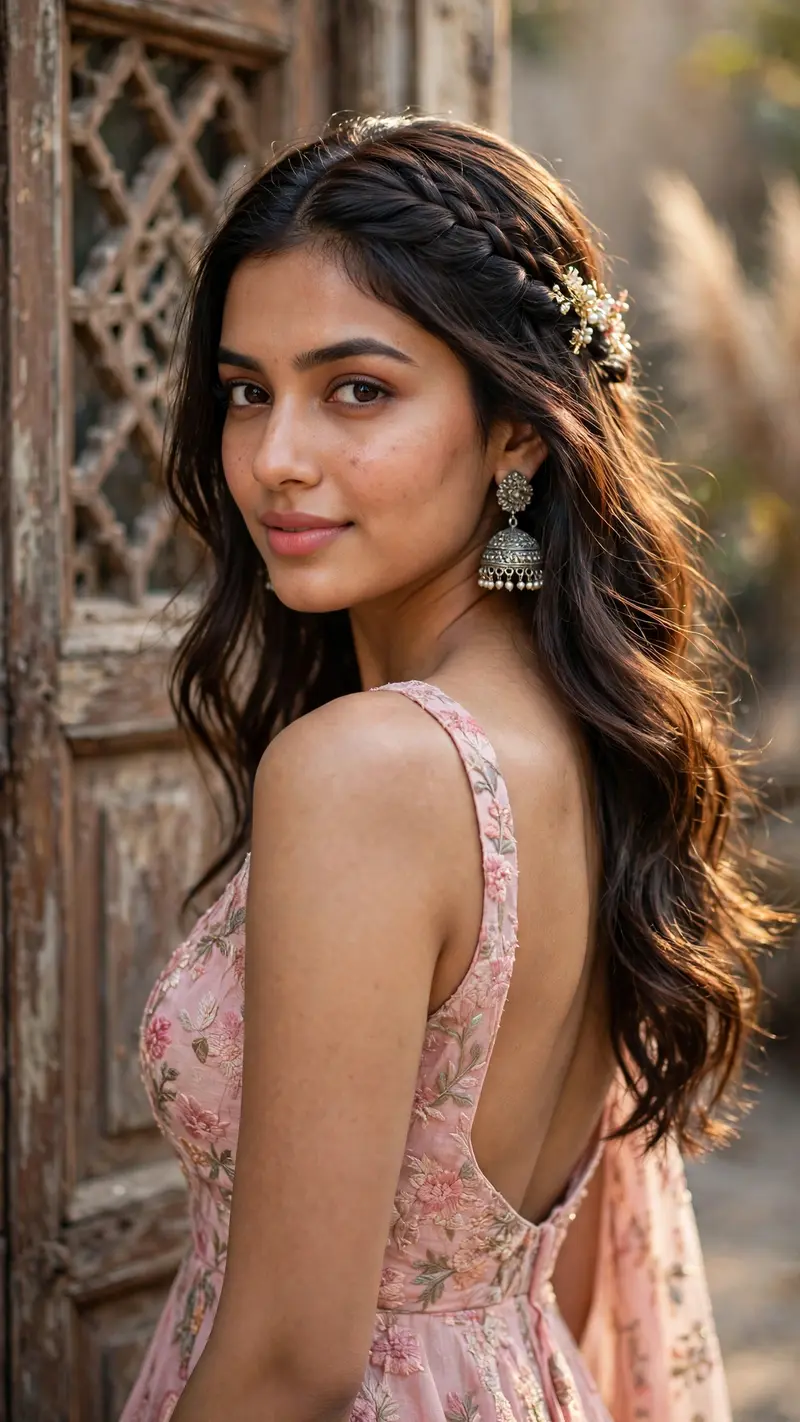
Best Golden Hour Saree Portrait AI Prompt
Copy the ready-made prompt below and paste it into ChatGPT, Gemini, or your favorite AI image generator to create a stunning streetwear fashion style image in seconds. No sign-up needed — just copy, paste, and generate.
✦ AI PROMPT
Ultra-realistic cinematic portrait of a beautiful young Indian woman wearing a soft pink floral ethnic outfit with a deep backless design, standing in front of a vintage wooden door with rustic textures. She is looking back over her shoulder toward the camera with a soft confident expression and subtle smile. Long silky dark brown hair styled in loose waves with braided side hairstyle and hair clip, traditional oxidized jhumka earrings, glowing natural makeup, pink lips, sharp eyes, smooth skin texture. Natural daylight photography, soft feminine aesthetic, elegant Indian fashion vibe, candid pose, luxurious ethnic beauty shoot, realistic fabric details, shallow depth of field, DSLR quality, ultra detailed face, soft highlights on hair, warm pastel color grading, Pinterest inspired aesthetic, realistic shadows, dreamy mood, high fashion portrait photography, authentic Indian beauty, 85mm lens look, 4K ultra realistic. Background: old vintage wooden door with geometric window patterns, neutral earthy tones, blurred cinematic background. Pose: body turned away from camera, face looking back toward lens, hair flowing naturally on shoulder, elegant posture. Style: hyper realistic, Instagram reel aesthetic, soft glam, cinematic portrait photography. --ar 9:16 --stylize 200 --quality 2 Negative Prompt (important for realistic results): blurry face, extra fingers, bad hands, unrealistic skin, cartoon, overexposed, low quality, distorted eyes, duplicate body parts, messy background, artificial pose, bad anatomy Optional Add-ons: For more glow: “soft sunlight glow on skin, glossy hair shine” For luxury vibe: “premium ethnic fashion campaign style” For viral Instagram look: “trending reel aesthetic, influencer photography style”
How to Use This Prompt with ChatGPT & Gemini
Click the Copy button above, then open ChatGPT (with image generation) or Gemini. Paste the prompt, hit generate, and wait a few seconds. You can tweak any detail — colors, lighting, mood — to make it your own.
How to Keep Your Face Unchanged
Want your own face in this style? First generate the base image with the prompt above, then use a face-swap tool like InsightFace or the Remini app to place your face onto the result.



