
Golden Hour Jhumka Portrait
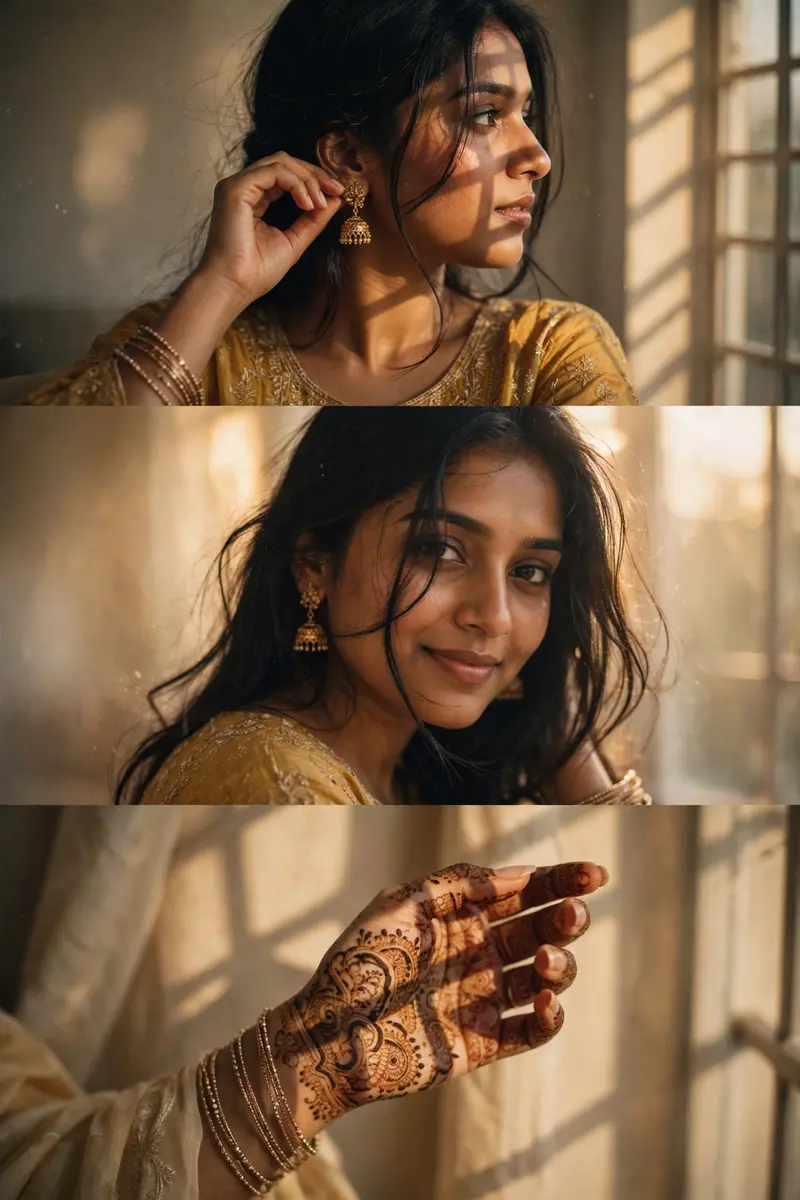
Best Golden Hour Jhumka Portrait AI Prompt
Copy the ready-made prompt below and paste it into ChatGPT, Gemini, or your favorite AI image generator to create a stunning photoreal portraits style image in seconds. No sign-up needed — just copy, paste, and generate.
⋈ AI PROMPT
A warm-toned cinematic portrait collage of a South Asian woman in traditional attire, arranged in three horizontal frames. She has long black hair styled loosely with soft strands falling across her face, wearing elegant gold jhumka earrings and multiple delicate bangles. Her hands are decorated with intricate mehendi (henna) designs. Frame 1 (top): She is gently adjusting her jhumka earring, head turned slightly away from the camera, creating a soft candid moment. The lighting is diffused and golden, with window shadow patterns falling across her face and shoulder. Frame 2 (middle): She turns back toward the camera with a subtle, natural smile. Loose strands of hair move across her face, adding motion and softness. The lighting remains warm and dreamy with soft glow, creamy highlights, and low contrast. Frame 3 (bottom): A close-up of her hand raised gracefully, showcasing detailed mehendi patterns and stacked bangles. Window light casts artistic shadows across her hand and background. Style & Lighting: Golden hour inspired indoor lighting, soft haze, dreamy glow, cinematic color grading, slightly faded blacks, golden warm beige and amber tones, gentle film grain, low sharpness for a nostalgic look. Camera & Composition: Shallow depth of field, soft focus, 50mm lens feel, minimal background, natural light through a window casting geometric shadows. Mood: Elegant, intimate, traditional, romantic, soft aesthetic.
How to Use This Prompt with ChatGPT & Gemini
Click the Copy button above, then open ChatGPT (with image generation) or Gemini. Paste the prompt, hit generate, and wait a few seconds. You can tweak any detail — colors, lighting, mood — to make it your own.
How to Keep Your Face Unchanged
Want your own face in this style? First generate the base image with the prompt above, then use a face-swap tool like InsightFace or the Remini app to place your face onto the result.



