
Golden Hour Half-Face Portrait
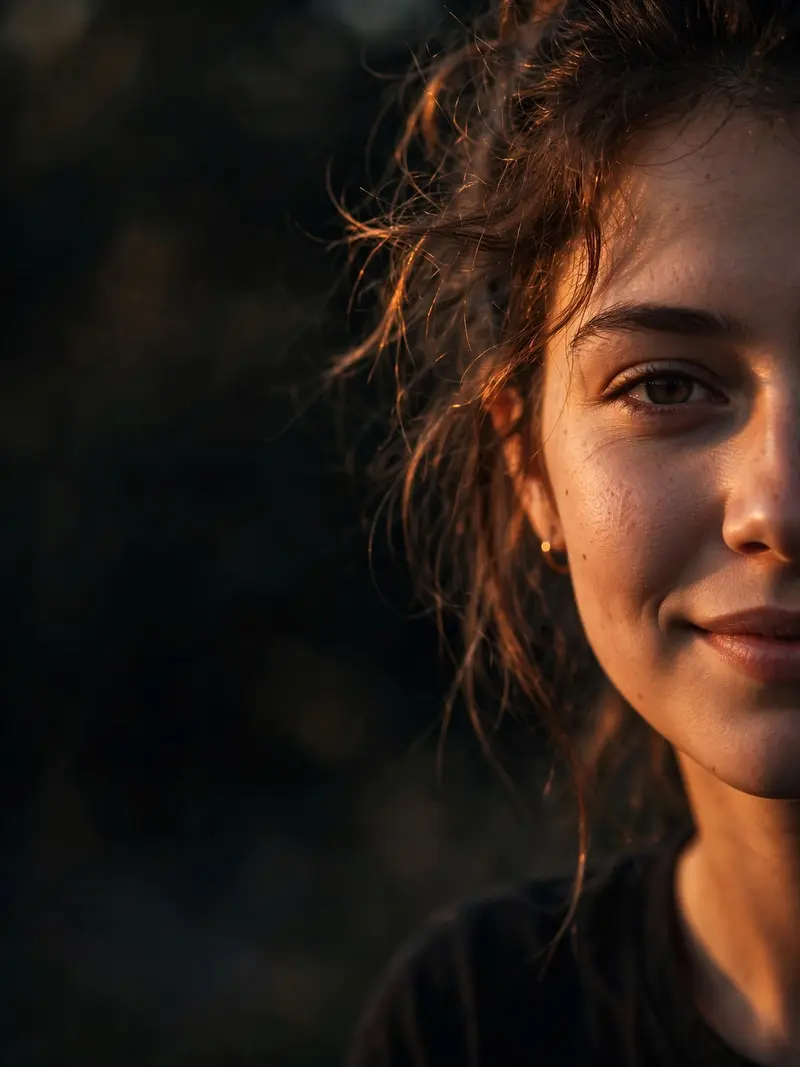
Best Golden Hour Half-Face Portrait AI Prompt
Copy the ready-made prompt below and paste it into ChatGPT, Gemini, or your favorite AI image generator to create a stunning photoreal portraits style image in seconds. No sign-up needed — just copy, paste, and generate.
⋈ AI PROMPT
Create an ultra-realistic cinematic golden hour portrait of a young person (male or female), captured in a close-up shot with only half of the face visible on the right side of the frame and the rest of the image filled with a dark, softly blurred background. The subject has a subtle natural smile, glowing skin illuminated by warm orange sunset light, detailed eyes, and slightly messy hair catching the sunlight. The composition should feel moody, aesthetic, and premium, with DSLR-style photography. The face should occupy only 40% of the frame, leaving negative space on the left side. Include natural skin texture, dramatic side lighting, and a modern Instagram aesthetic; Shot on an 85mm lens, photorealistic, ultra-HD, highly detailed, cinematic color grading, 3:4 portrait aspect ratio. make Sure Use Exact face 100% Negative prompt: cartoon, anime, low quality, blurry, extra eyes, extra face, deformed features, oversaturated colors, overexposed lighting, duplicate person, bad anatomy, unrealistic skin, text, watermark, logo. Watermark:@promptseen
How to Use This Prompt with ChatGPT & Gemini
Click the Copy button above, then open ChatGPT (with image generation) or Gemini. Paste the prompt, hit generate, and wait a few seconds. You can tweak any detail — colors, lighting, mood — to make it your own.
How to Keep Your Face Unchanged
Want your own face in this style? First generate the base image with the prompt above, then use a face-swap tool like InsightFace or the Remini app to place your face onto the result.
Start from our Prompt seen AI picks if you want the best ones first.



