
Golden Hour Dreamy Editorial Portrait
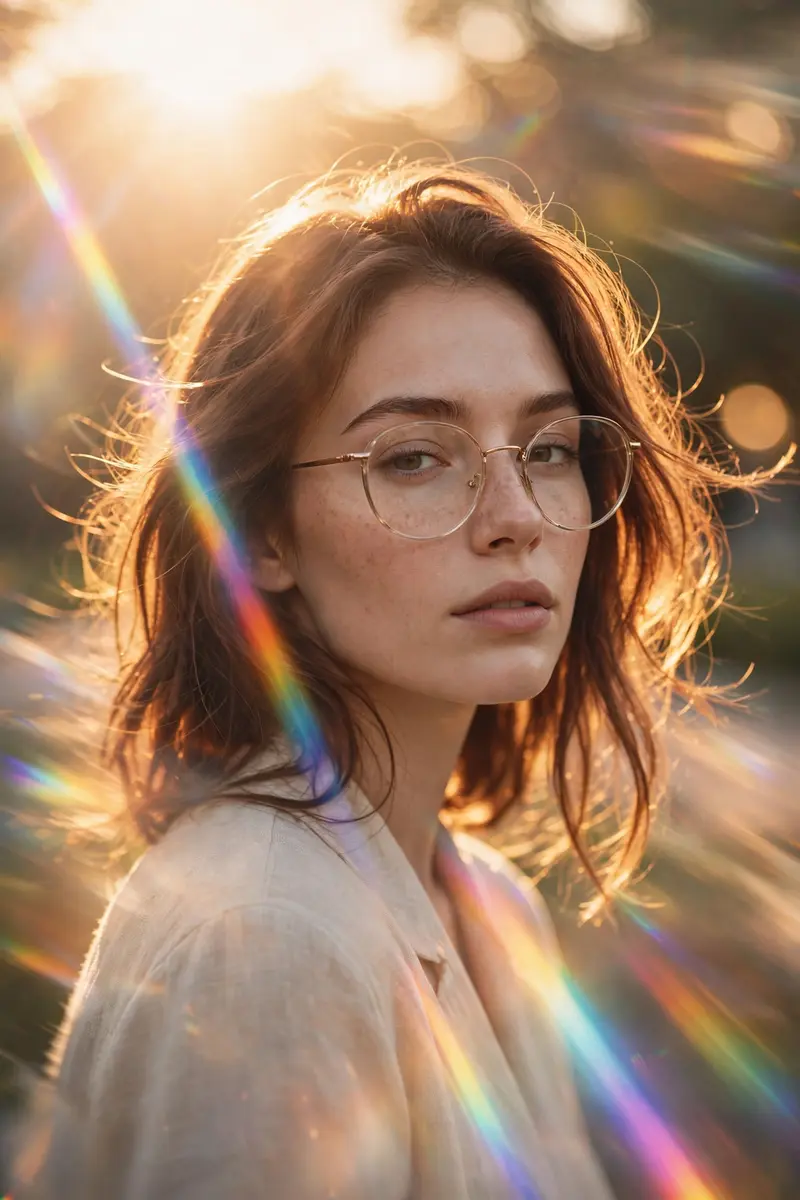
Best Golden Hour Dreamy Editorial Portrait AI Prompt
Copy the ready-made prompt below and paste it into ChatGPT, Gemini, or your favorite AI image generator to create a stunning photoreal portraits style image in seconds. No sign-up needed — just copy, paste, and generate.
✦ AI PROMPT
Prompt: Transform this image into a cinematic, dreamy editorial portrait with soft golden-hour lighting. Apply strong backlighting from the sun positioned behind the subject, creating a natural rim light around the hair and shoulders. Add a realistic prismatic rainbow lens flare diagonally crossing the frame, with subtle chromatic dispersion and light streak bloom. Enhance depth using shallow depth of field (f/1.8 style), keeping the subject sharp while softly blurring the background into a creamy bokeh. Introduce slight motion blur in the environment to create a dynamic, ethereal movement effect while keeping the subject stable. Apply warm, soft color grading with pastel tones, slightly lifted highlights, and gently faded shadows for a filmic look. Add subtle glow diffusion to highlights (especially around light sources and skin), creating a soft, dreamy haze without losing detail. Skin tones should remain natural and clean with soft smoothing, no plastic effect. Maintain realistic textures while enhancing lighting contrast. Overall style: cinematic photography, luxury fashion editorial, dreamy atmosphere, natural light realism, ultra high resolution, 4K clarity, soft cinematic grain.
How to Use This Prompt with ChatGPT & Gemini
Click the Copy button above, then open ChatGPT (with image generation) or Gemini. Paste the prompt, hit generate, and wait a few seconds. You can tweak any detail — colors, lighting, mood — to make it your own.
How to Keep Your Face Unchanged
Want your own face in this style? First generate the base image with the prompt above, then use a face-swap tool like InsightFace or the Remini app to place your face onto the result.



