
Ganesh Face Merge Portrait
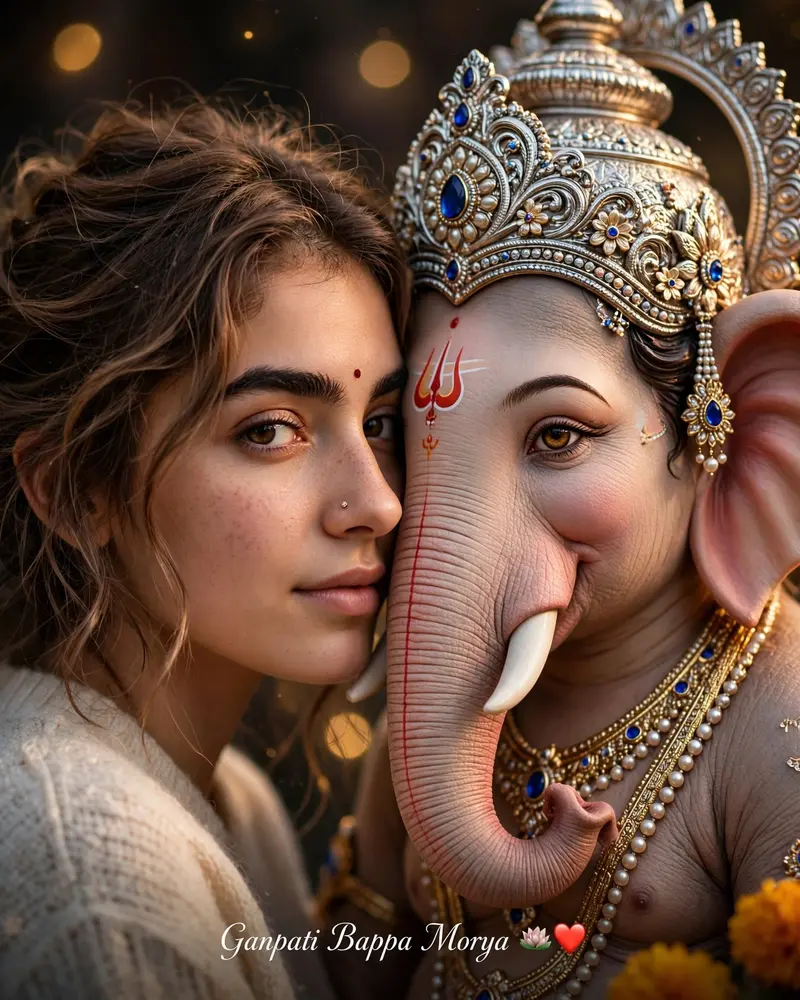
Best Ganesh Face Merge Portrait AI Prompt
Copy the ready-made prompt below and paste it into ChatGPT, Gemini, or your favorite AI image generator to create a stunning photoreal portraits style image in seconds. No sign-up needed — just copy, paste, and generate.
✦ AI PROMPT
Use the uploaded image as the ONLY identity reference for the girl. Preserve her facial identity, face shape, eyes, eyebrows, nose, lips, skin tone, hairstyle, bindi, and natural features exactly. Create a photorealistic 4:5 vertical portrait showing exactly half of her face beside exactly half of Lord Ganpati Bappa’s face, their faces gently touching. Align one human eye and one Ganpati eye at the center, both extremely sharp and expressive. Add realistic skin texture, detailed eyelashes, natural hair strands, intricate Ganpati crown and jewelry, authentic devotional markings, and warm golden cinematic lighting. Keep the background minimal and softly blurred. Use natural colors, realistic shadows, premium DSLR photography, shallow depth of field, and an emotional devotional atmosphere. Add elegant golden-white text at bottom: “Ganpati Bappa Morya 🪷❤️”.
How to Use This Prompt with ChatGPT & Gemini
Click the Copy button above, then open ChatGPT (with image generation) or Gemini. Paste the prompt, hit generate, and wait a few seconds. You can tweak any detail — colors, lighting, mood — to make it your own.
How to Keep Your Face Unchanged
Want your own face in this style? First generate the base image with the prompt above, then use a face-swap tool like InsightFace or the Remini app to place your face onto the result.



