Dreamy Close-Up Eyes View
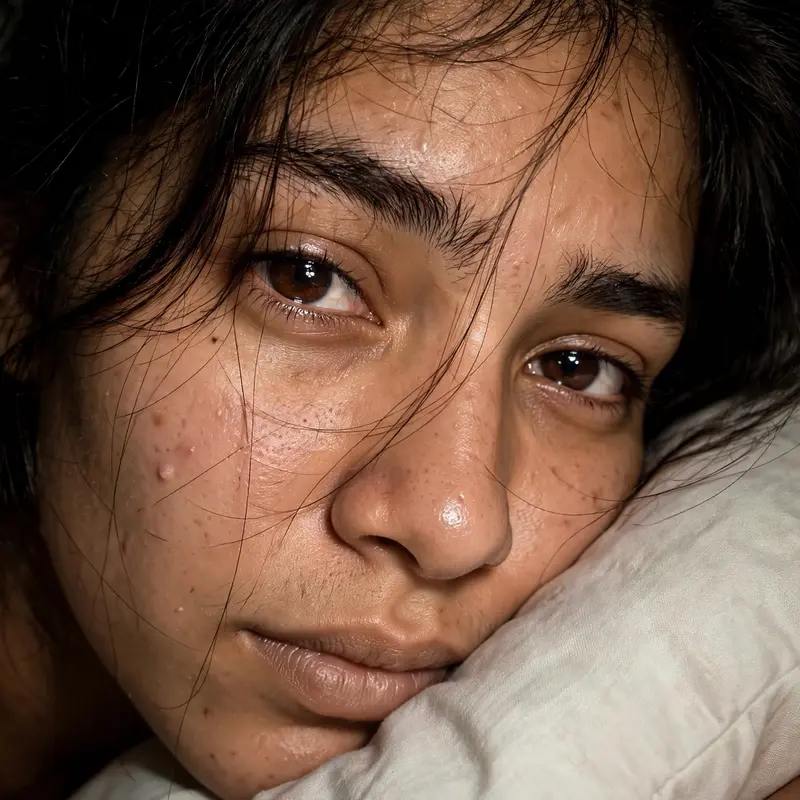
Best Dreamy Close-Up Eyes View AI Prompt
Copy the ready-made prompt below and paste it into ChatGPT, Gemini, or your favorite AI image generator to create a stunning photoreal portraits style image in seconds. No sign-up needed — just copy, paste, and generate.
✦ AI PROMPT
Use the uploaded reference image as the ONLY identity reference. STRICT IDENTITY LOCK: preserve the person’s exact face, facial structure, eyes, eyebrows, nose, lips, skin tone, skin texture, proportions and natural imperfections. Do not beautify, reshape, smooth, or alter the face. Create an ultra-realistic intimate close-up portrait of the same young woman, photographed from a slightly tilted, sideways angle while she rests her face against a soft light-colored pillow or fabric. The composition should be extremely close, showing mainly her forehead, both eyes, eyebrows, nose, cheeks and lips, with part of the face extending naturally outside the frame. She has deep brown expressive eyes, naturally thick eyebrows, subtle natural eyelashes, realistic skin pores and fine facial texture. Her expression is soft, quiet, slightly emotional and dreamy, looking directly toward the camera. Keep her natural facial asymmetry and realistic features. Dark brown or black hair, naturally messy and slightly tousled, falling loosely around the forehead and cheeks. Several very fine individual hair strands naturally cross over the forehead, eyes, nose and cheek, creating an authentic candid look. Use direct smartphone camera flash photography, creating a warm, slightly harsh flash illumination on the face while the surrounding background falls into deep darkness. Natural warm brown skin tones, realistic highlights on the eyes and nose, subtle flash reflection and catchlights in both eyes.
How to Use This Prompt with ChatGPT & Gemini
Click the Copy button above, then open ChatGPT (with image generation) or Gemini. Paste the prompt, hit generate, and wait a few seconds. You can tweak any detail — colors, lighting, mood — to make it your own.
How to Keep Your Face Unchanged
Want your own face in this style? First generate the base image with the prompt above, then use a face-swap tool like InsightFace or the Remini app to place your face onto the result.