Dr. Babasaheb Ambedkar Jayanti
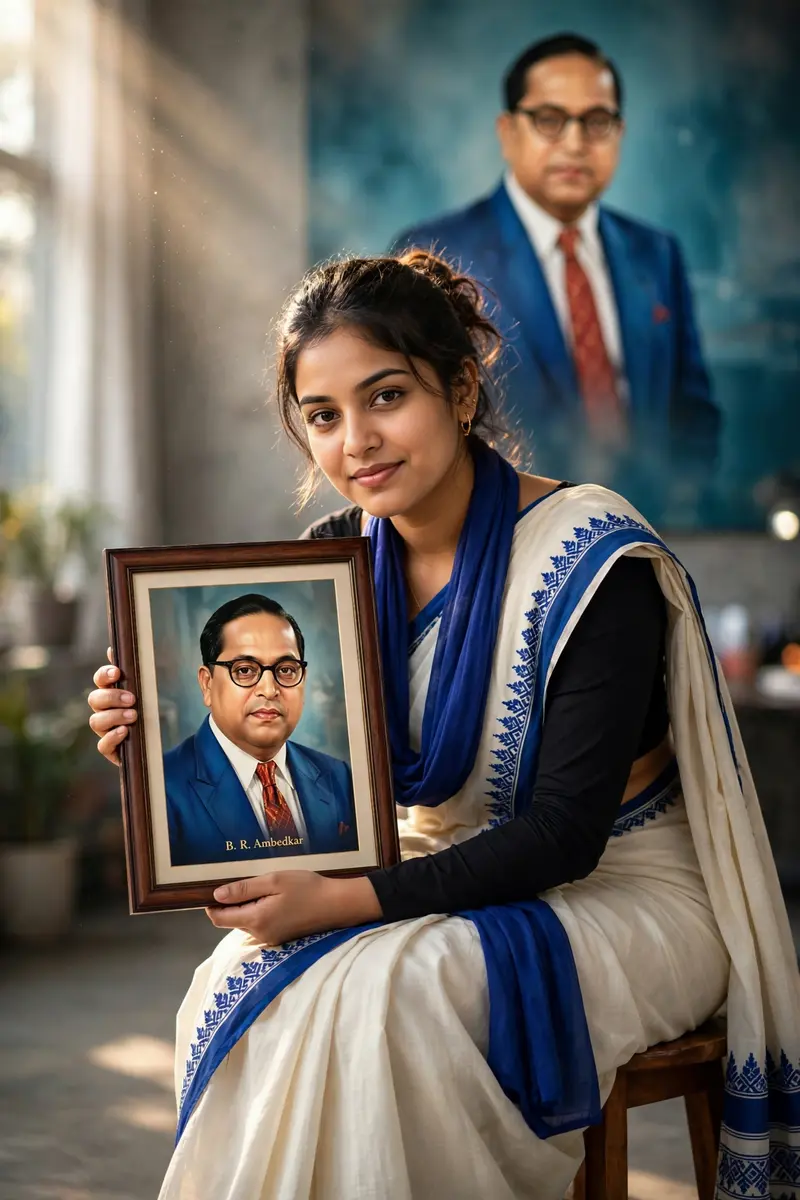
Best Dr. Babasaheb Ambedkar Jayanti AI Prompt
Copy the ready-made prompt below and paste it into ChatGPT, Gemini, or your favorite AI image generator to create a stunning photoreal portraits style image in seconds. No sign-up needed — just copy, paste, and generate.
⋈ AI PROMPT
Use the uploaded image as the primary face reference and strictly preserve 100% exact facial identity, including skin tone, facial structure, eyes, nose, lips, and natural skin texture without any beautification or smoothing. Maintain realistic human imperfections with strict identity lock. Create a cinematic, ultra-realistic portrait of a confident young Indian woman sitting on a wooden stool in a modern indoor studio setting, slightly leaning forward with an elegant yet powerful posture and a soft confident smile. She is wearing an off-white saree with a bold royal blue border and a neatly draped blue stole, paired with a full-sleeve black blouse and minimal jewelry. She is holding a framed portrait of Dr. B. R. Ambedkar facing the camera, showing him in a blue suit, white shirt, red tie, and glasses, with subtle text “B. R. Ambedkar” at the bottom. In the background, include a large softly blurred image of Ambedkar in an authoritative pose. Use soft cinematic lighting, volumetric light, teal-orange color grading, 85mm lens, shallow depth of field, HDR, 8K, photorealistic.
How to Use This Prompt with ChatGPT & Gemini
Click the Copy button above, then open ChatGPT (with image generation) or Gemini. Paste the prompt, hit generate, and wait a few seconds. You can tweak any detail — colors, lighting, mood — to make it your own.
How to Keep Your Face Unchanged
Want your own face in this style? First generate the base image with the prompt above, then use a face-swap tool like InsightFace or the Remini app to place your face onto the result.