
Devotional Ganpati Portrait
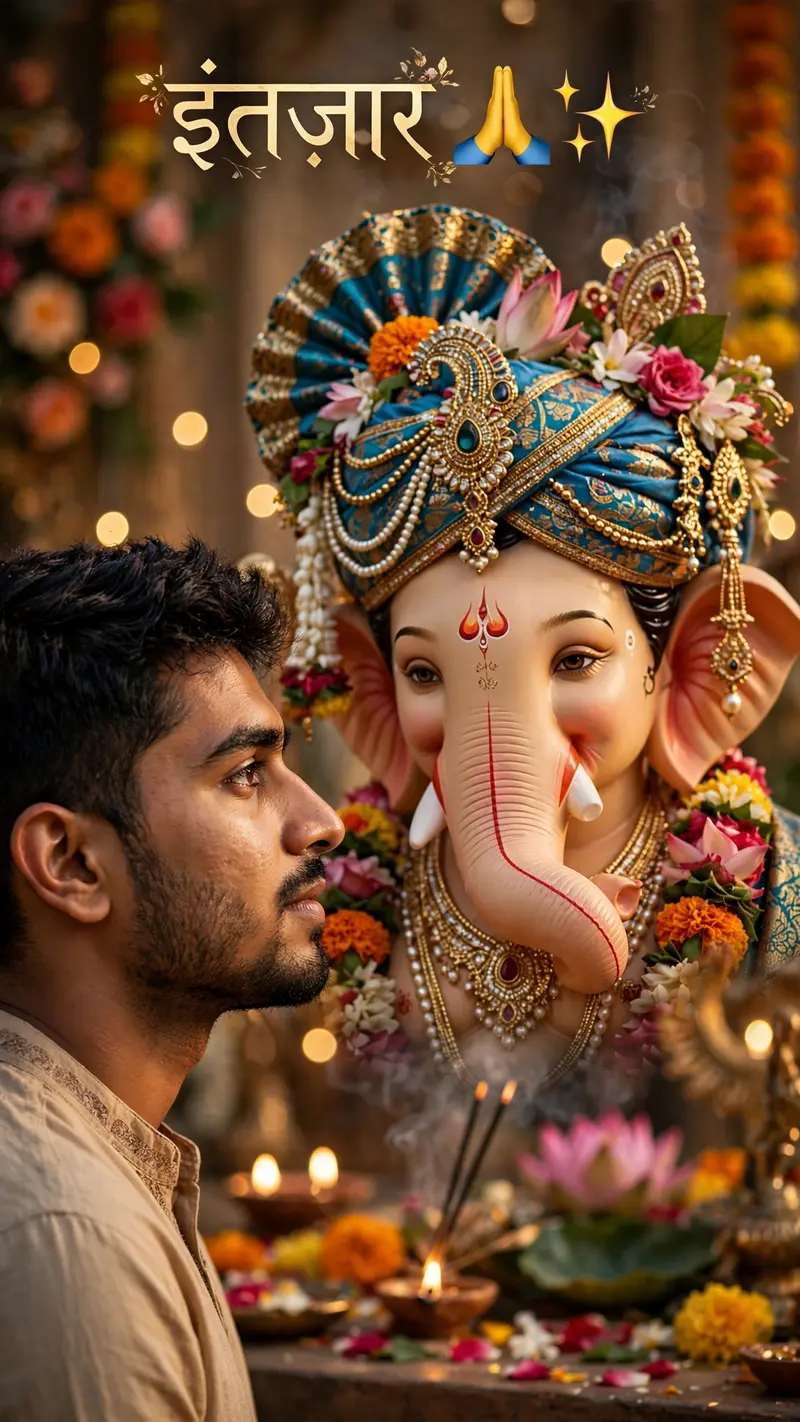
Best Devotional Ganpati Portrait AI Prompt
Copy the ready-made prompt below and paste it into ChatGPT, Gemini, or your favorite AI image generator to create a stunning photoreal portraits style image in seconds. No sign-up needed — just copy, paste, and generate.
⋈ AI PROMPT
create an ultra-realistic vertical 9:16 devotional portrait inspired by the reference image. a beautifully decorated lord ganesha idol is the main focus, wearing an elaborate turquoise-blue and golden turban adorned with flowers, pearls, jewels and intricate ornaments. ganesha has a peaceful, divine expression, detailed eyes, traditional tilak and richly decorated jewelry. the background is a warm festive ganesh chaturthi setting with colorful flowers, glowing golden bokeh lights and cinematic depth of field. in the foreground, a young indian man with short textured black hair and a neatly groomed beard stands respectfully beside the idol, looking toward lord ganesha. preserve natural skin texture and realistic proportions. warm cinematic lighting, shallow depth of field, dslr photography, sharp details, realistic colors, premium devotional atmosphere, 8k quality, no artificial ai look. add elegant hindi text "इंतज़ार" at the top with emojis.
How to Use This Prompt with ChatGPT & Gemini
Click the Copy button above, then open ChatGPT (with image generation) or Gemini. Paste the prompt, hit generate, and wait a few seconds. You can tweak any detail — colors, lighting, mood — to make it your own.
How to Keep Your Face Unchanged
Want your own face in this style? First generate the base image with the prompt above, then use a face-swap tool like InsightFace or the Remini app to place your face onto the result.



