
Cinematic Male Half-Face Eyes Portrait
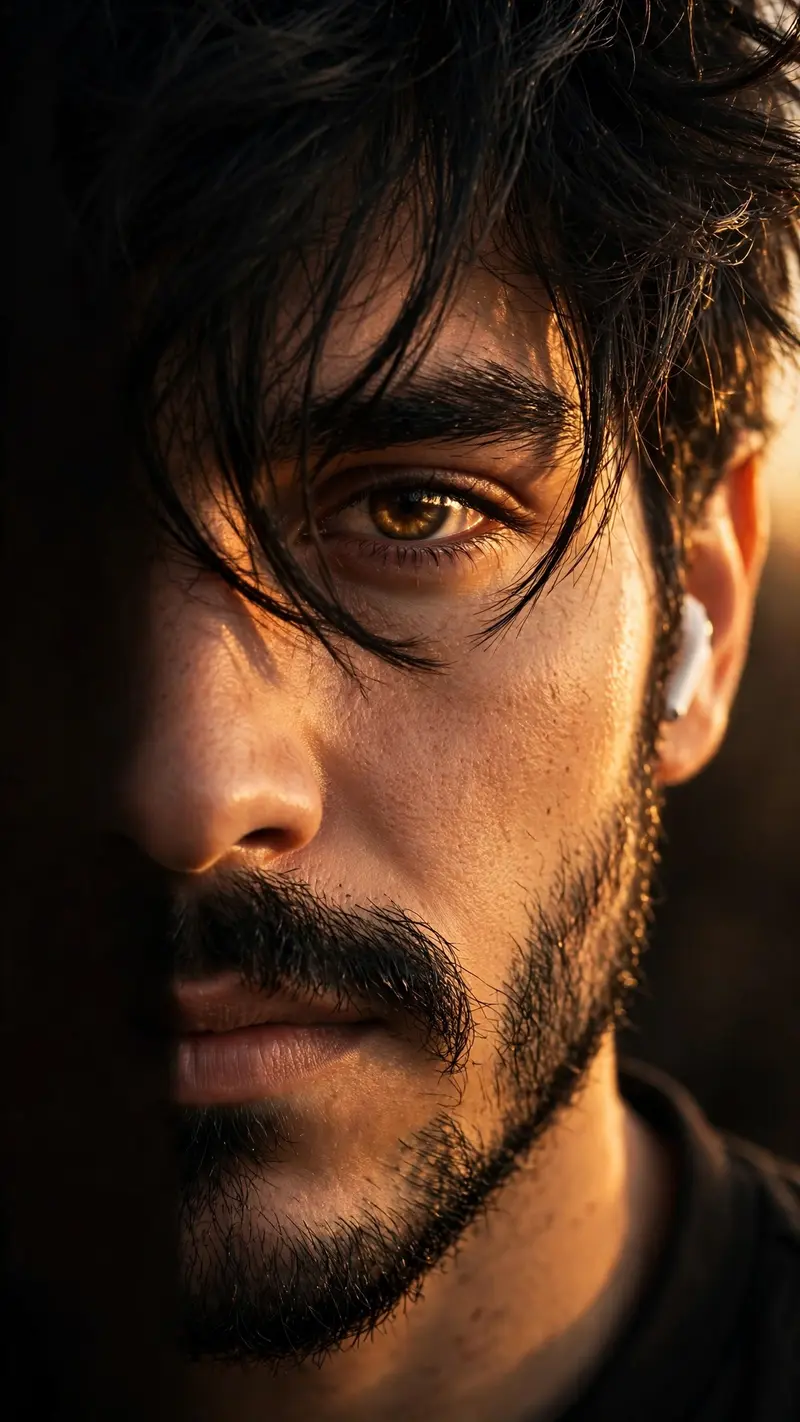
Best Cinematic Male Half-Face Eyes Portrait AI Prompt
Copy the ready-made prompt below and paste it into ChatGPT, Gemini, or your favorite AI image generator to create a stunning photoreal portraits style image in seconds. No sign-up needed — just copy, paste, and generate.
⋈ AI PROMPT
Use the uploaded photo as the identity reference. Preserve the person’s face, facial structure, eye shape, skin tone, hairstyle, beard, lips, nose, and overall identity 100% exactly. Create an ultra-realistic cinematic vertical close-up portrait (9:16). Show only the right half of the face, with the left half completely cropped out of the frame. Camera at eye level, extreme close-up from forehead to lips. Thick messy black hair with textured strands falling naturally across one eye. Sharp focus on the visible eye with realistic catchlight. Strong warm golden-hour sunlight hitting the face from the right side at a 45-degree angle, creating deep dramatic shadows and high contrast. Natural skin pores and realistic facial texture, trimmed beard and mustache, neutral confident expression. Wear a black shirt blending into a dark brown-black background. Add a white wireless earbud in the visible ear. Minimal background, shallow depth of field, DSLR photography, 85mm lens, f/1.8, Kodak Portra-inspired warm tones, cinematic color grading, soft highlights, rich shadows, ultra-photorealistic, 8K, editorial fashion portrait, highly detailed.
How to Use This Prompt with ChatGPT & Gemini
Click the Copy button above, then open ChatGPT (with image generation) or Gemini. Paste the prompt, hit generate, and wait a few seconds. You can tweak any detail — colors, lighting, mood — to make it your own.
How to Keep Your Face Unchanged
Want your own face in this style? First generate the base image with the prompt above, then use a face-swap tool like InsightFace or the Remini app to place your face onto the result.



