
Chhatrapati Shivaji Maharaj Portrait Prompt
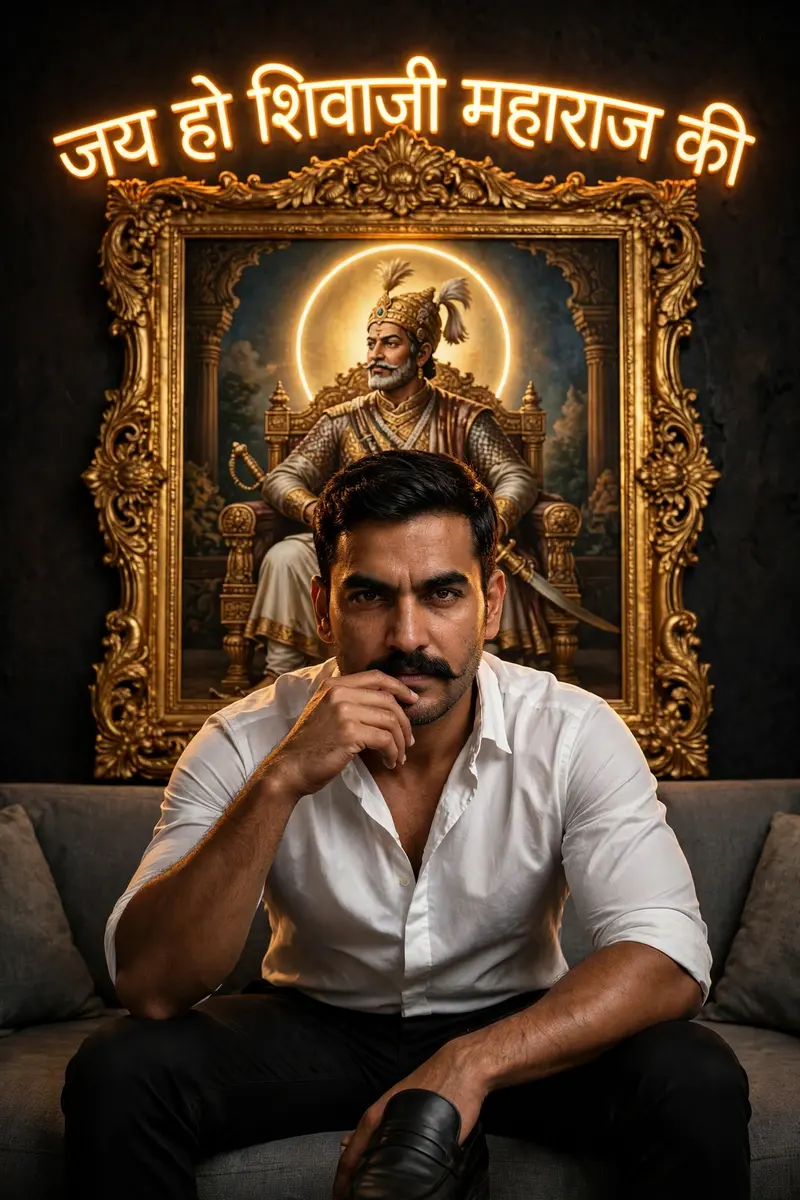
Best Chhatrapati Shivaji Maharaj Portrait Prompt AI Prompt
Copy the ready-made prompt below and paste it into ChatGPT, Gemini, or your favorite AI image generator to create a stunning photoreal portraits style image in seconds. No sign-up needed — just copy, paste, and generate.
⋈ AI PROMPT
Use the uploaded image as face reference (same face, do not change identity, no distortion).Create a cinematic ultra-realistic portrait of a confident Indian man sitting on a modern grey fabric sofa. He is wearing a clean white shirt (slightly unbuttoned at the top) and fitted black pants with black formal loafers.His posture is powerful and relaxed — legs slightly apart, leaning forward slightly, one hand resting near his chin/mustache, giving intense eye contact and a dominant expression.Behind him, place a glowing golden ornate royal frame featuring a detailed artistic painting of Chhatrapati Shivaji Maharaj seated on a throne.Add warm neon glowing Marathi text: "जय हो शिवाजी महाराज की" behind the subject, integrated with the frame.Add a perfectly centered circular halo light behind the head of Shivaji Maharaj (not the person), creating a divine symmetrical composition.Background should be dark matte black with subtle texture and vignette.Lighting is dramatic and cinematic — strong contrast, soft highlights on face, deep shadows, warm golden rim light from the frame.Composition perfectly centered and symmetrical, subject in middle, sharp focus, shallow depth of field, ultra-detailed skin texture.8K resolution, ultra-realistic, cinematic color grading, luxury editorial look, powerful and royal vibe.
How to Use This Prompt with ChatGPT & Gemini
Click the Copy button above, then open ChatGPT (with image generation) or Gemini. Paste the prompt, hit generate, and wait a few seconds. You can tweak any detail — colors, lighting, mood — to make it your own.
How to Keep Your Face Unchanged
Want your own face in this style? First generate the base image with the prompt above, then use a face-swap tool like InsightFace or the Remini app to place your face onto the result.



