
Bairan Song Engraving Portrait
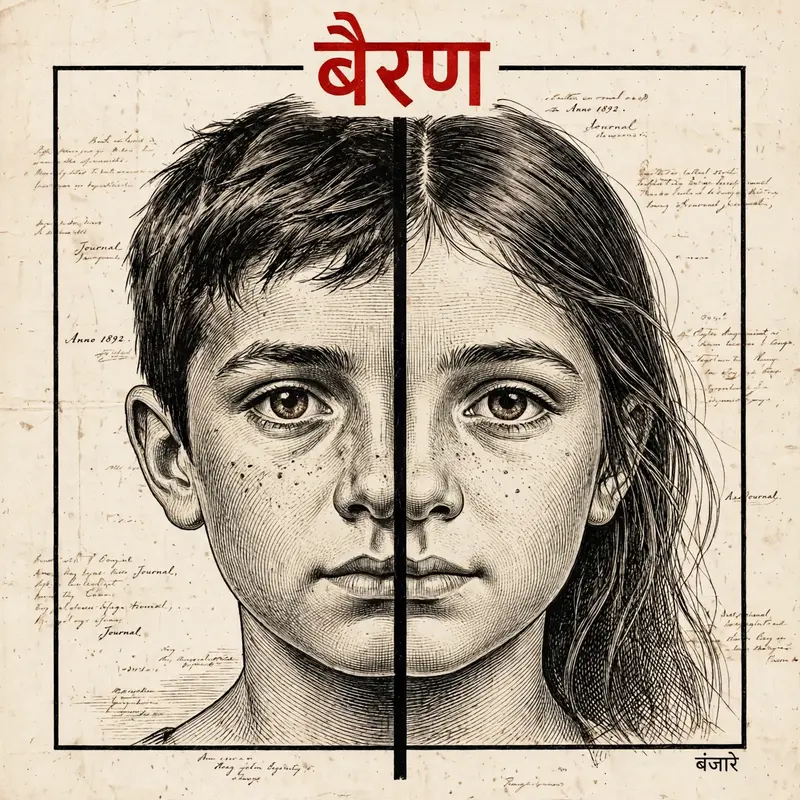
Best Bairan Song Engraving Portrait AI Prompt
Copy the ready-made prompt below and paste it into ChatGPT, Gemini, or your favorite AI image generator to create a stunning photoreal portraits style image in seconds. No sign-up needed — just copy, paste, and generate.
✦ AI PROMPT
Create a highly detailed vintage ink engraving style illustration using the two uploaded images as references.Merge both faces into a single square composition split vertically in the center — left half should be the boy and right half should be the girl.Preserve exact facial identity strictly (same eyes, eyebrows, nose shape, lips, skin details, and expression). Do not alter or beautify faces. Ensure perfect facial symmetry alignment so both halves match seamlessly at the eyes, nose, and lips.Use a classic hand-drawn engraving style with fine cross-hatching, ink linework, and detailed shading. Focus closely on the eyes and upper face, similar to a vintage book illustration.Add a bold vertical black divider line in the center where both faces meet.Place the portrait inside a thin black square frame.Background should be off-white vintage paper texture with subtle handwritten script or old document feel.At the top, add bold Hindi text “बैरण” in red color, clean and strong typography.At the bottom right, add small Hindi text “बंजारे” in black.Keep overall tone monochrome/sepia with high contrast.Ultra detailed, sharp focus, 4K resolution, cinematic lighting.”perfect facial symmetry alignment, no distortion, no mismatch between halves”
How to Use This Prompt with ChatGPT & Gemini
Click the Copy button above, then open ChatGPT (with image generation) or Gemini. Paste the prompt, hit generate, and wait a few seconds. You can tweak any detail — colors, lighting, mood — to make it your own.
How to Keep Your Face Unchanged
Want your own face in this style? First generate the base image with the prompt above, then use a face-swap tool like InsightFace or the Remini app to place your face onto the result.



