
Artistic Identity Lock Portrait Prompt
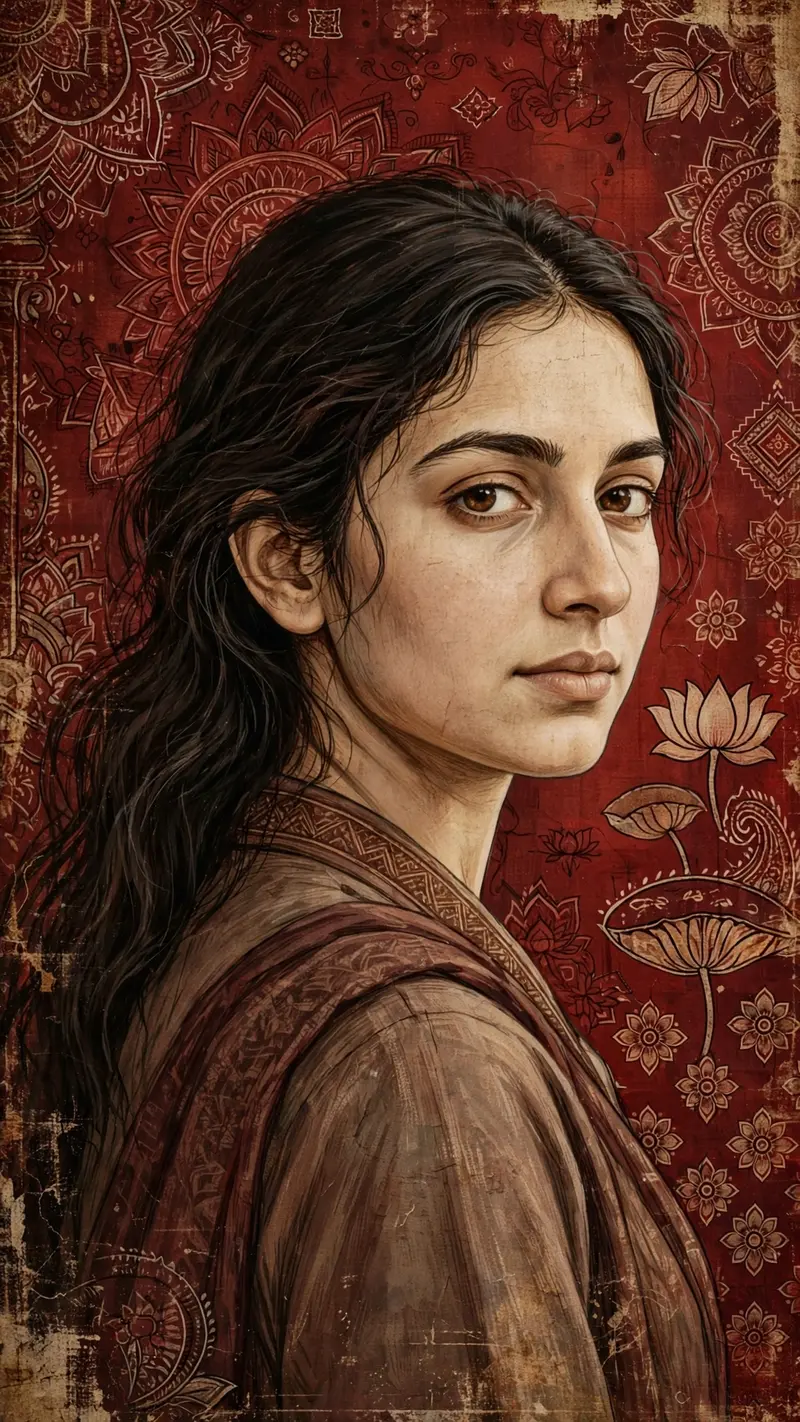
Best Artistic Identity Lock Portrait Prompt AI Prompt
Copy the ready-made prompt below and paste it into ChatGPT, Gemini, or your favorite AI image generator to create a stunning photoreal portraits style image in seconds. No sign-up needed — just copy, paste, and generate.
⋈ AI PROMPT
Vertical artistic portrait using the uploaded image as a hard identity lock. Preserve exact face: same facial structure, skin tone, eye shape, eyebrows, nose, lips, hairline, hair texture. No beautification. No face change. Vertical frame 9:16. Medium close-up. Subject turned slightly sideways, head gently rotated back toward the camera, over-the-shoulder feel. Eyes looking directly at the viewer with a calm, composed gaze. Expression neutral to soft. Natural feminine posture. Foreground subject sharply defined. Skin rendered in a painterly illustrated style, not photorealistic. Visible brush strokes, fine linework, soft texture. Maintain realistic facial planes adapted to a female face. Hair unchanged from the uploaded image, softly textured, natural fall. Clothing simple and traditional-toned, blending with the artwork (no modern logos). Background: deep maroon and crimson red, textile-inspired surface with intricate hand-drawn mandala and lotus motifs, Indian miniature / folk mural style. Aged parchment texture, distressed paint, subtle grain and wear. Color palette: deep reds, maroons, warm browns, muted beige highlights, soft gold undertones. Lighting: soft ambient, evenly diffused, gentle shadows, matte finish. No harsh contrast. No glow. Art style: Indian classical art fusion, folk art texture, vintage mural aesthetic, digital painting. Ultra-high resolution, vertical wallpaper format, cinematic composition. No text. No watermark. Clean edges. Negative constraints: no photorealism, no HDR, no plastic skin, no symmetry correction, no pose exaggeration, no heavy makeup, no modern props, no background blur, no typography.
How to Use This Prompt with ChatGPT & Gemini
Click the Copy button above, then open ChatGPT (with image generation) or Gemini. Paste the prompt, hit generate, and wait a few seconds. You can tweak any detail — colors, lighting, mood — to make it your own.
How to Keep Your Face Unchanged
Want your own face in this style? First generate the base image with the prompt above, then use a face-swap tool like InsightFace or the Remini app to place your face onto the result.
See what else is popular in Prompt seen AI right now.



