Aesthetic Couple Eyes
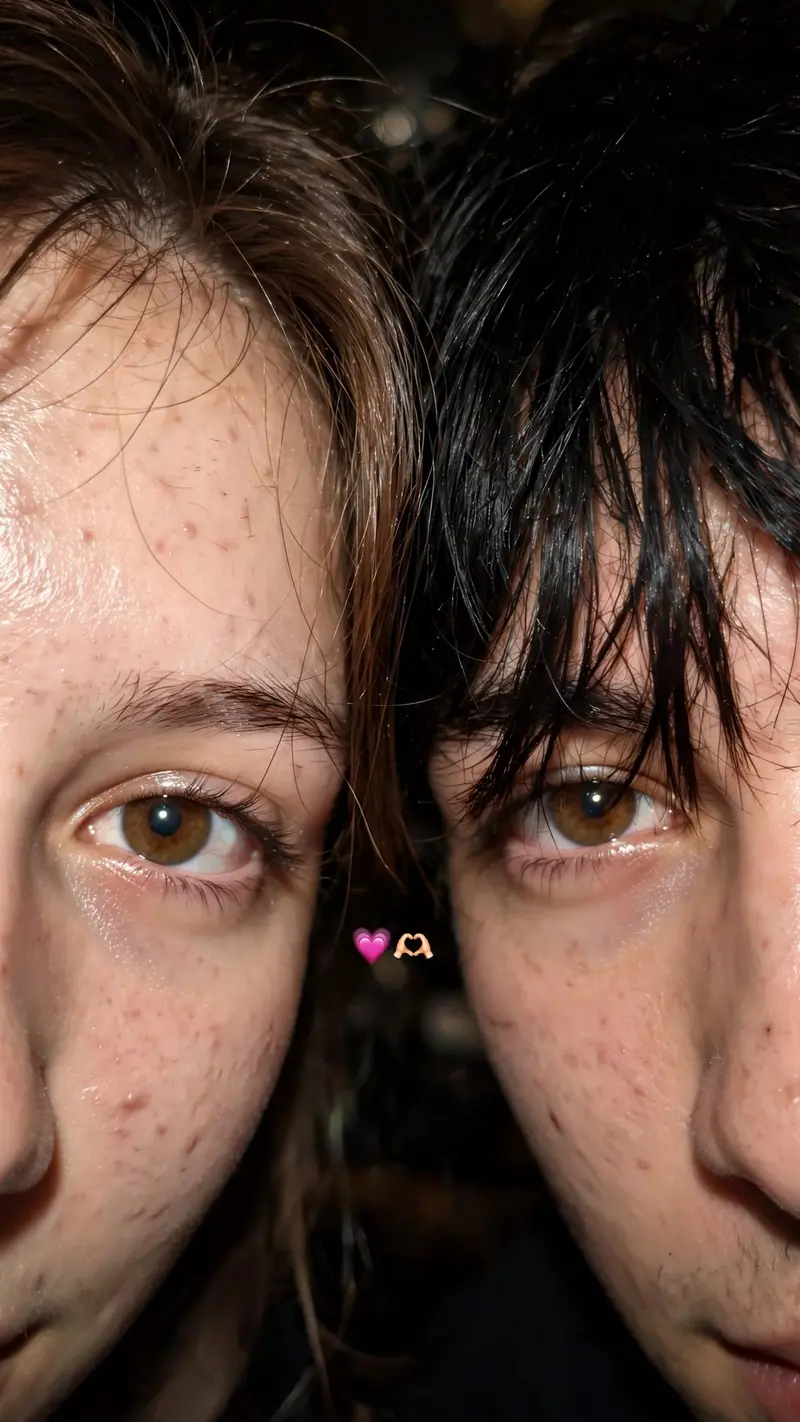
Best Aesthetic Couple Eyes AI Prompt
Copy the ready-made prompt below and paste it into ChatGPT, Gemini, or your favorite AI image generator to create a stunning photoreal portraits style image in seconds. No sign-up needed — just copy, paste, and generate.
⋈ AI PROMPT
Use 100% of both faces above the image uploaded Must look exactly like a real iPhone front camera flash selfie uploaded to Instagram, not an AI-generated image. Preserve natural imperfections, realistic skin pores, sensor noise, slight blur, imperfect framing, and authentic smartphone camera artifacts.Create an ultra-realistic candid smartphone selfie of two young people with only the upper half of their faces visible, framed extremely close to the camera. Their faces are pressed together naturally, creating an intimate, cozy composition. The left person shows one eye with long natural eyelashes, while the right person has soft messy black bangs partially covering one eye. Warm hazel-brown eyes with realistic reflections, natural skin texture with tiny pores, faint acne marks and subtle imperfections. Soft black hair with loose strands falling across the face. Low-light indoor environment with a phone flash, soft overexposed highlights, slight motion blur, shallow depth of field, subtle lens softness, realistic digital camera noise, authentic smartphone HDR processing, imperfect focus, natural color tones, cozy late-night aesthetic. A tiny pink heart emoji and heart-hands emoji are placed between both faces. Vertical 3:4 composition, looks like an accidental Instagram story/photo taken on an iPhone, completely photorealistic, raw, unedited, cinematic, no beauty filter, no AI look, no plastic skin, no oversharpening, no extra details, indistinguishable from a real phone photo. Ratio 9:16
How to Use This Prompt with ChatGPT & Gemini
Click the Copy button above, then open ChatGPT (with image generation) or Gemini. Paste the prompt, hit generate, and wait a few seconds. You can tweak any detail — colors, lighting, mood — to make it your own.
How to Keep Your Face Unchanged
Want your own face in this style? First generate the base image with the prompt above, then use a face-swap tool like InsightFace or the Remini app to place your face onto the result.